SUBDERMAL IMPLANTS
テーマTHEME
相談するCONSULT
製品PRODUCTS
ガイドGUIDE
会社情報COMPANY
製品 / ApexPRODUCT / APEX

鍵を、あなたの中に。Your keys, inside you

Apexは、皮下に収めるセキュリティキーです。暗号鍵は本体の中で生成され、本体の中で使われ、秘密鍵が外に出ることはありません。VivoKeyも、その鍵とデータにはアクセスできません。Apex is a subdermal security key. Your cryptographic keys are generated on the device and used on the device, and private keys never leave it. VivoKey has no access to your keys or your data.

価格PRICE ¥132,000〜 税込from ¥132,000 incl. taxアンテナANTENNAS 3種類Threeご注文ORDER 受注後のお取り寄せSpecial orderチップCHIP JCOP 4

はじめに、いちばん大切なことThe most important thing, first

Narrow・Module 1年間の限定保証Spectrum 限定生涯保証
条件Apexはガラス製のマイクロチップインプラントとは別の製品群で、フレックスのアンテナはSpectrumとは保証内容が異なります。Apex Narrow、Apex Module、その他のフレックス製品(特注)は、製造元による1年間の限定保証です(対象は製造上の不具合)。専門家によるインストールと、インストール中の2つの場面(製品がパウチから清潔野に出される場面、医師が器具を使わず手で差し入れる場面)の録画が条件になります。Apex Spectrumは、製造元による限定生涯保証です(対象は製造上の不具合)。詳しくは下の保証の項をご覧ください。
保証を読む →
Narrow / Module 1 year limited warrantySpectrum Limited lifetime warranty
ConditionsApex is a different product family from the glass implants, and its flex antennas carry a different warranty from the Spectrum. Apex Narrow, Apex Module, and other flex products by special order: 1 year limited warranty from the manufacturer, on manufacturing defects. It is conditional on installation by a professional and on video of two specific moments: the device coming out of its pouch onto the sterile field, and the physician placing it by hand without tools. Apex Spectrum: limited lifetime warranty from the manufacturer, on manufacturing defects. Details are in the warranty section below.
Read the warranty →

販売開始前ですNot yet open for orders

対応医師の調整中のため、インストールのご予約はまだ承れません。
くわしく

Apexについては、VivoKey Japanでは現在、対応いただける医師が確定しておりません。現在調整を進めている段階です。そのため、現時点ではインストールのご予約は承りかねます。製品自体についてのご質問はいつでもお寄せください。表示の価格は確定しております。

Physicians for Apex are still being arranged, so installations cannot be booked yet.
What this means

VivoKey Japan does not have confirmed physicians for Apex yet. We are working on it. Until that is arranged we cannot take an installation booking, though you are welcome to ask about the products themselves. The prices shown are settled.

3つの形状THE LINEUP

どのアンテナも、中身のチップは同じです。選ぶのはアンテナと形状、つまり読み取り距離とインストールできる部位であって、機能の差ではありません。Every antenna carries the identical chip. You are choosing an antenna and a shape, which means read range and where it can be placed. You are not choosing capability.

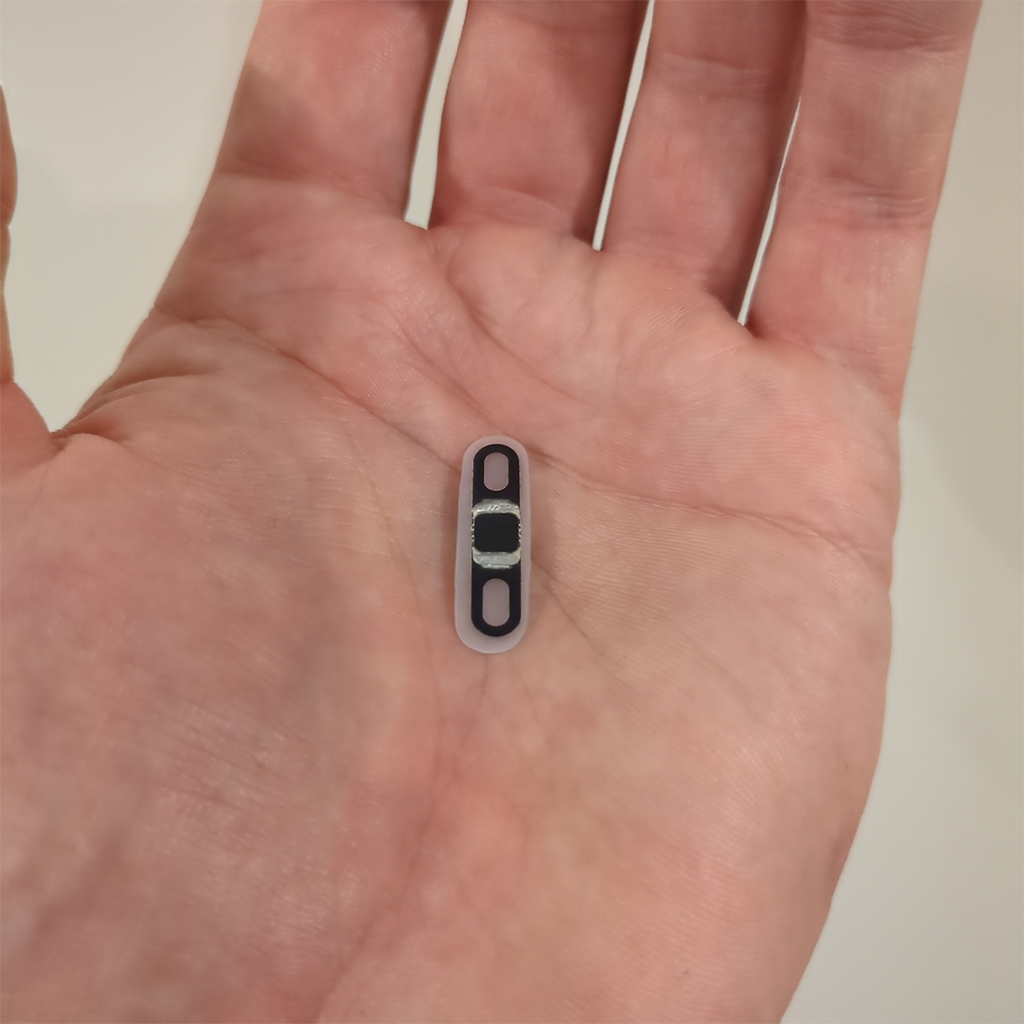
Apex Narrow held flat on an open palm: a thin black biopolymer strip about the length of a fingernail

Apex Narrow FLEXApex Narrow FLEX

0.4 mm¥132,000(税込)読み取り距離入れられる場所3種類でいちばん薄い0.4mm。他の2つでは選べない場所にも入りますが、アンテナが小さいぶん読み取り距離は最も短くなります。おすすめ:入れる場所の自由度を最優先する方0.4 mm¥132,000 incl. taxRANGEPLACEMENTThe thinnest of the three. At 0.4 mm it goes places the others cannot, and the small antenna means the shortest read range.Best for: The widest choice of placement

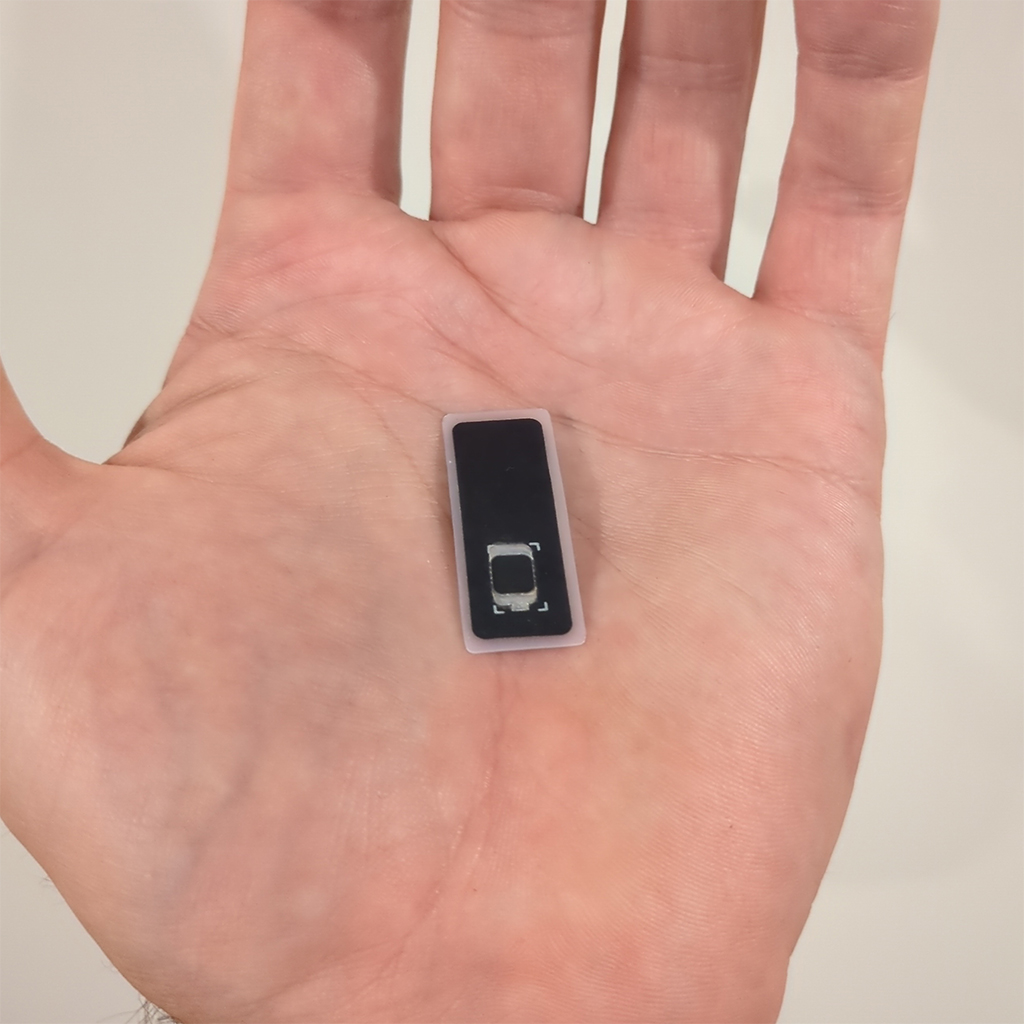
Apex Module held flat on an open palm: a wider rounded black biopolymer tile

Apex Module FLEXApex Module FLEX

0.8 mm¥165,000(税込)読み取り距離入れられる場所アンテナが最も大きく、読み取り距離も最も長いタイプです。時間のかかる処理が途中で切れにくいのはこのためです。面積が大きいので、手首や指には入りません。おすすめ:iPhoneをお使いの方、デジタル署名など時間のかかる処理0.8 mm¥165,000 incl. taxRANGEPLACEMENTThe largest antenna and the longest range, which is what keeps a long session from dropping. The footprint rules out the wrist and fingers.Best for: iPhone users and long operations such as signing

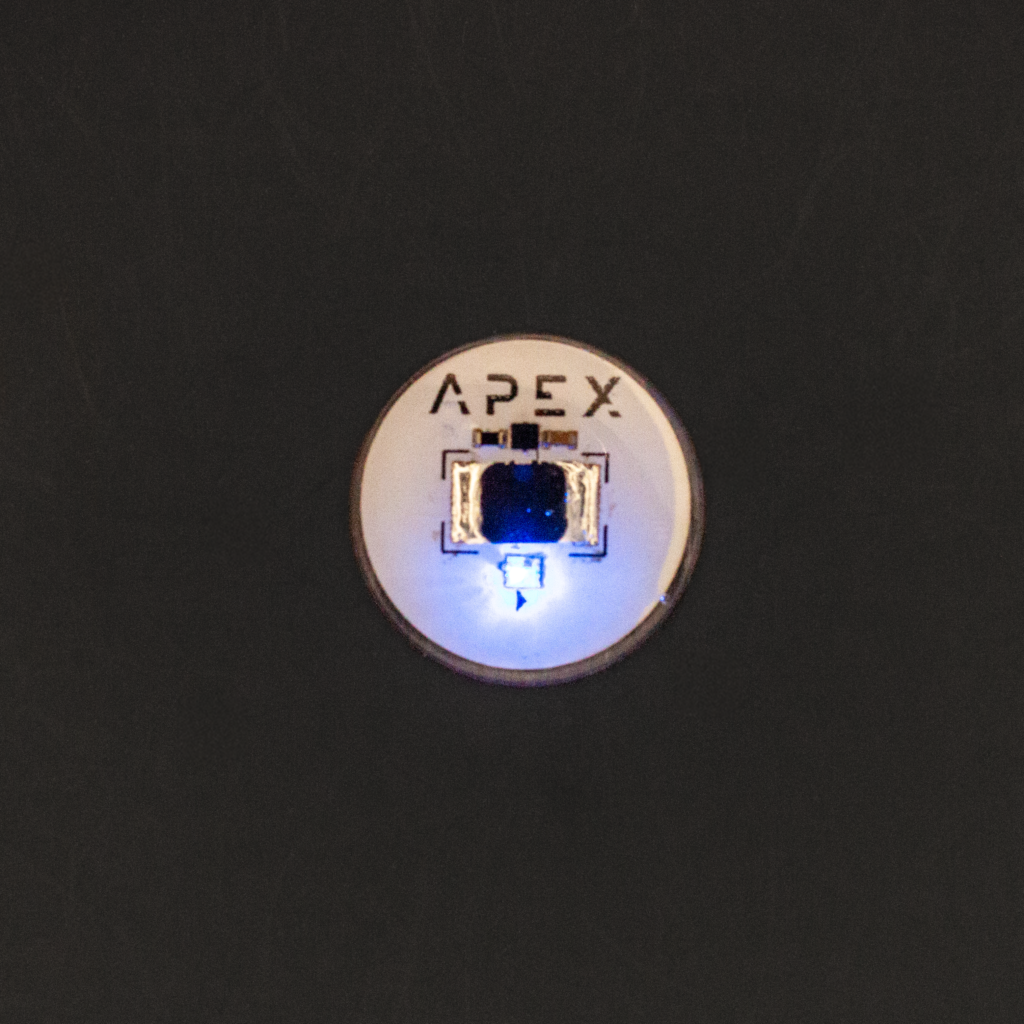
Apex Spectrum on a dark ground: a round implant with a copper rim and APEX lettering, its blue light lit

Apex Spectrum BIORESINApex Spectrum BIORESIN

1.9 mm¥159,500(税込)読み取り距離入れられる場所リーダーにかざすと光るRGB LEDを内蔵した硬質ディスク。色は自動で移り変わり、操作はできません。しならないため、入れられる場所はNarrowやModuleより限られます。おすすめ:光る演出を重視する方1.9 mm¥159,500 incl. taxRANGEPLACEMENTA rigid disc with an RGB LED that lights in the reader's field. The colors change on their own and cannot be controlled. It does not flex, so the placement conversation is narrower than for Narrow or Module.Best for: Anyone who wants the LED

項目SpecApex Narrow (FLEX)Apex Module (FLEX)Apex Spectrum (BIORESIN)
寸法Size約7.5〜8 × 28mmabout 7.5 to 8 × 28 mm約14 × 35mmabout 14 × 35 mm直径22mmのディスク22 mm disc
厚さThickness0.4 mm0.8 mm1.9 mm
読み取り距離Read range短いShort長いLong中程度Medium
LEDLEDなしNoneなしNoneRGB
価格Price¥132,000(税込)¥132,000 incl. tax¥165,000(税込)¥165,000 incl. tax¥159,500(税込)¥159,500 incl. tax
保証Warrantyフレックス製品:1年間の限定保証Flex implants: 1 year limited warrantyフレックス製品:1年間の限定保証Flex implants: 1 year limited warrantyバイオレジン製インプラント:限定生涯保証Bioresin implants: Limited lifetime warranty

迷われたらIf you are undecided

iPhoneをお使いで、鍵の保管やデジタル署名など時間のかかる処理を想定されているなら、Moduleをおすすめします。アンテナが大きいため、処理が途中で切れにくくなります。そのかわり面積が大きく、手の甲、上腕、胸部などが候補になります。If you use an iPhone and expect long operations such as key storage or signing, we suggest the Module. Its larger antenna is the difference between an operation completing and dropping. The trade is footprint: placement moves to the back of the hand, the upper arm or the chest.

SpectrumのLEDについてApex Spectrum and its LED

LEDは操作できません。リーダーの電波から電力を受けている間、虹のように自動で色が移り変わります。変化の速い版と遅い版があり、どちらも製造時に決まっています。アプリや設定で色を選んだり、光り方、点滅、速さを変えたりすることはできません。

LEDは同じコイルから電力を取ります。製造元自身のベンチ試験では、Spectrumはアプレットの導入に繰り返し失敗しました。リピーターを使っても改善しませんでした。アプレットは、皮下に入れる前に導入しておくのが確実です。
The LED cannot be controlled. While it draws power from the reader's field it cycles through colors on its own, like a rainbow. There is a faster and a slower version, fixed at the factory. No app or setting can pick a color or change the pattern, the blinking or the speed.

The LED draws power from the same coil. In the manufacturer's own bench test, the Spectrum repeatedly failed to add an applet, even with a repeater, so adding applets before installation is the reliable route.

ApexとはWHAT IT IS

Apexは、認証と暗号処理のためだけに作られたセキュアエレメントを皮下に収めたものです。スマートフォンやパソコンは、紛失や盗難、不具合のあるアップデートのリスクから逃れられません。Apexは、こうしたリスクから鍵を切り離します。Apex puts a secure element, a chip built for nothing but authentication and cryptography, under your skin. Phones and computers get lost, stolen and updated. Apex keeps your keys outside all of that.

チップChip
NXP JCOP 4 / Java Card 3.0.5
認証Certification
Common Criteria EAL 6+
メモリMemory
アプリケーション用EEPROM 83,872バイト(約82kB)、一時RAM約4kB83,872 bytes of application EEPROM (about 82 kB), plus about 4 kB of transient RAM
アプレット配信Applet delivery
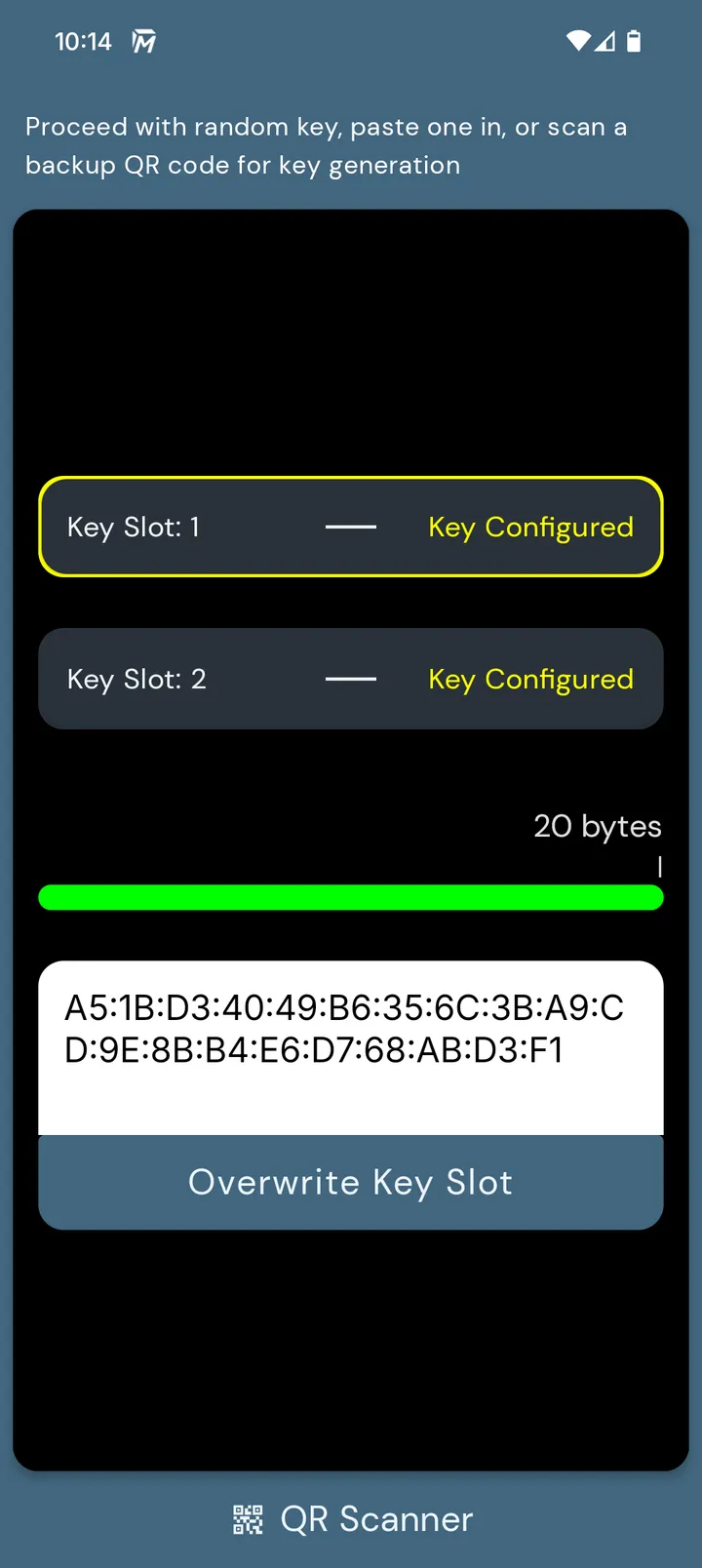
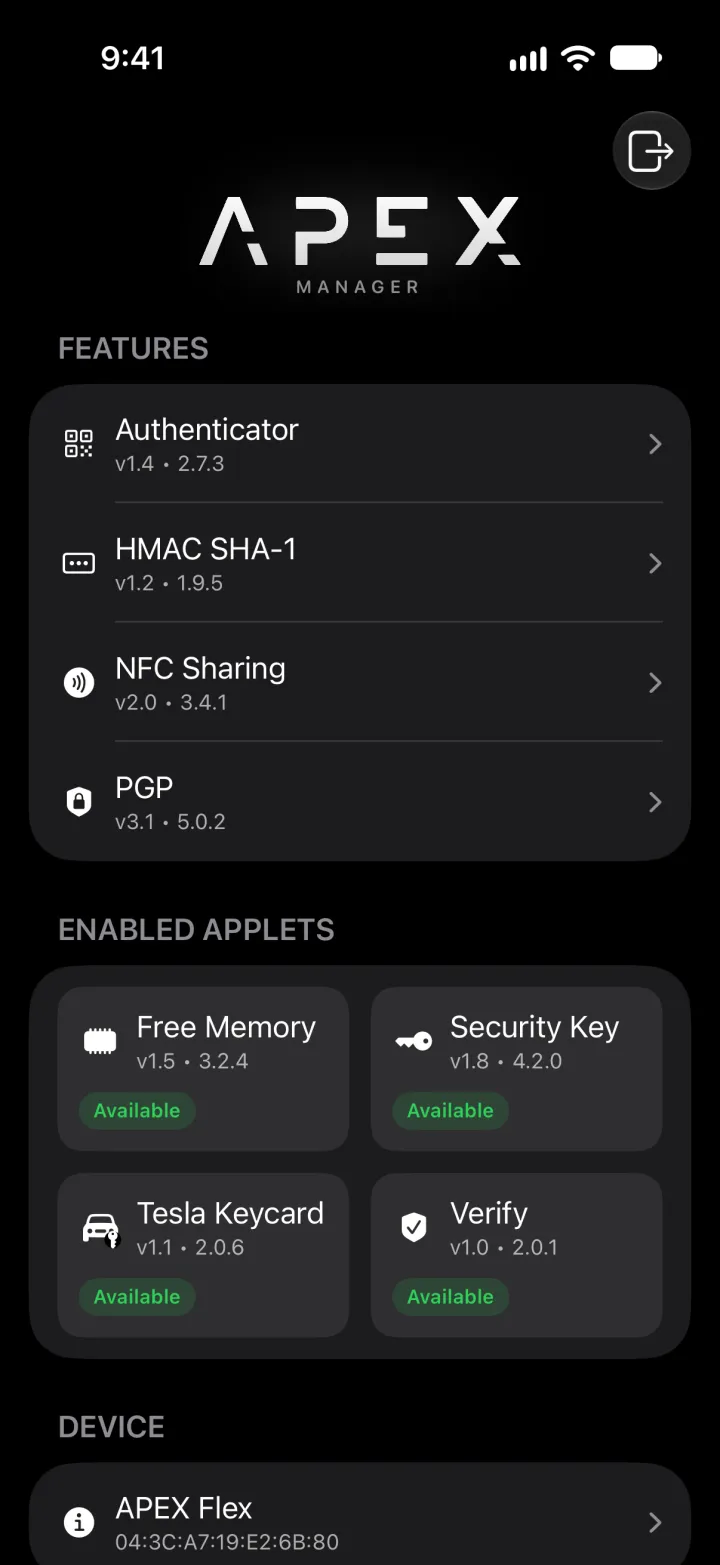
Fidesmoプラットフォーム経由。VivoKey Apex ManagerとFidesmoアプリで管理しますOver the Fidesmo platform, managed with the VivoKey Apex Manager and Fidesmo apps
素材(Narrow・Module)Material (Narrow, Module)
生体適合ポリマー。製造元は、Apexの完成品ではなくこの材料について、ISO 10993およびUSP Class VIの試験・認証を受けているとしています。当社は認証書そのものは入手していません。Apexの完成品は、認証試験、公的な試験、第三者機関による試験のいずれも受けていません。この材料を使った他社のインプラントについての第三者試験報告書と、その範囲については試験・評価をご覧ください。Biocompatible polymer. The manufacturer describes this material, not a finished Apex, as ISO 10993 and USP Class VI tested and certified; we have not obtained the certificate. The finished Apex has not been through any certified, official or third-party testing. See testing for the one third-party report on another company's implant made with this material, and what it does not cover.
素材(Spectrum)Material (Spectrum)
バイオレジン。USP Class VI認証を受けた材料から作られています。製造元の現行の製品資料では、加工後の完成品としての再試験は行っていないと記載されています。詳しくは試験・評価をご覧ください。Bioresin, made from USP Class VI certified material. The manufacturer's current product documentation states the finished bioresin product is not re-tested after processing. See testing for detail.

ここだけは押さえてくださいThe one thing worth remembering

Apexのアプレットはクラウドアプリではありません。処理はすべてチップの中で完結し、VivoKeyはあなたの鍵にもデータにもアクセスできません。The applets on an Apex are not cloud applications. Everything runs on the chip, and VivoKey has no access to your keys or your data.

何ができるかWHAT IT DOES

ひとつのインプラントに、複数のセキュリティ機能One implant, several independent security functions

Apexは、ひとつのNFC機能ではありません。アプレットと呼ばれる独立したプログラムを、いくつも並べて動かせる小さなセキュアコンピュータです。ログイン、2段階認証のコード、パスワード保管庫の鍵、暗号の鍵、復旧用の秘密、プロフィールの共有。メモリの許す範囲で、ひとつのインプラントがこれらを同時に受け持ちます。何ができるかは、何を入れるかで決まります。An Apex is not one NFC function. It is a small secure computer that runs several independent programs, called applets, side by side. The same implant can log you in, produce two-factor codes, guard a password vault, hold an encryption key, keep a recovery secret and share your profile, all at once, as far as memory allows. What it does is decided by which applets you add.

対応works条件つきwith conditions非対応no route

01

ログインSECURE LOGIN

FIDO2 / U2F

  • iPhoneiPhone: 対応works
  • AndroidAndroid: 対応works
  • PC / MacPC / Mac: 対応works

対応サービスへのログインで、手がセキュリティキーになります。Your hand becomes the hardware security key for sites that accept one.

サービスがセキュリティキーを要求Site asks for a security keyインプラントをかざすHold the implant to the phone or readerチップがチャレンジに署名The chip signs the challengeログイン完了Logged in

仕組みと制限How it works, and its limits

物理セキュリティキーに対応したサービスでは、ログインのときにキーを求められます。そこに手をかざして応えます。資格情報はセキュアエレメントの中にあり、秘密鍵がチップの外に出ることはありません。Sites that accept a hardware security key ask for it at login, and you answer with your hand. The credential is held in the secure element, and its private key does not leave the chip.

  • 使えるのは、GoogleアカウントなどFIDO2セキュリティキーに対応したサービスです。Googleのヘルプには、iOS 13.3以降のiPhoneでNFCセキュリティキーが使えると明記されています。対応の仕方はサービスごとに違うため、使いたいサービスで確認してください。Works with services that support FIDO2 security keys, such as Google accounts. Google's own help page states that NFC security keys work on iPhone with iOS 13.3 or later. Each service implements this its own way, so check the one you care about.
  • 当社で確認済み:MacのSafariでUSBリーダーを使った登録とログイン、そしてその資格情報がiPhoneでもそのまま使えること。VivoKey Japan confirmed registration and login in Safari on a Mac with a USB reader, and the same credential then worked on an iPhone.
  • Appleアカウントのセキュリティキーには使えません。AppleはFIDO認定済みのキーを条件としていますが、ApexのFIDOアプレットはテストには合格しているものの、認定は受けていません。iPhoneで使えるのはFIDO2のみで、U2Fは使えません。Not an Apple Account security key. Apple requires FIDO Certified keys for that, and the Apex FIDO applet has passed the test suites but is not certified. On iPhone only FIDO2 is available, not U2F.
  • 注意:FIDOアプレットを更新すると、中の資格情報はすべて消えます。導入画面にもそう書かれています。FIDOアプレットは、チップに同時にひとつしか入れられません。Watch out: updating the FIDO applet deletes every credential on it, and the screen says so when you add the applet. Only one FIDO applet can exist on the chip at a time.
02

プロフィール共有SHARE A PROFILE

NFC Share (NDEF)

  • iPhoneiPhone: 対応works
  • AndroidAndroid: 対応works
  • PC / MacPC / Mac: 対応works

かざした相手の端末で、あなたのページが開きます。アプリは不要です。A phone held to your hand opens your page. No app needed.

相手の端末をかざすTheir phone meets your handリンクを読み取るThe phone reads the linkあなたのページが開くYour page opens

仕組みと制限How it works, and its limits

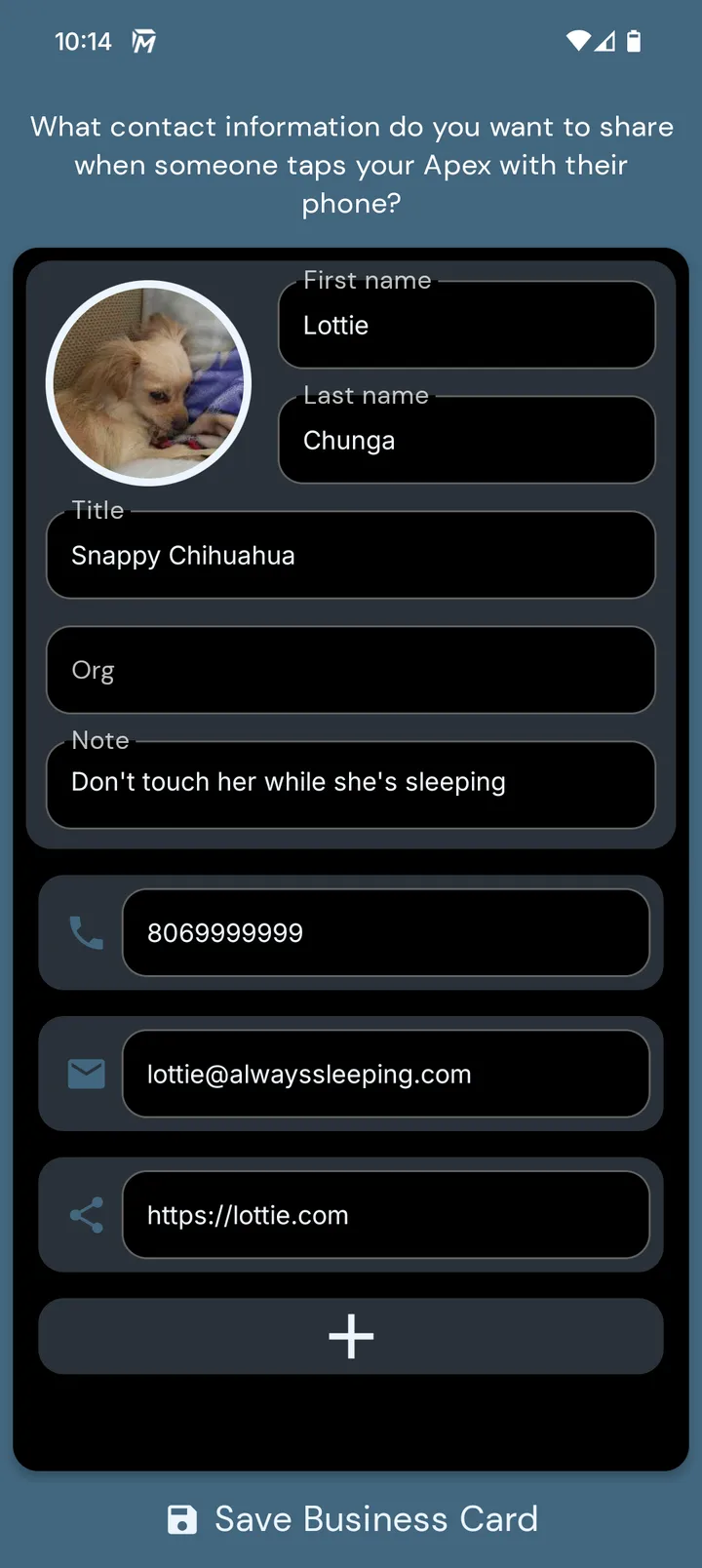
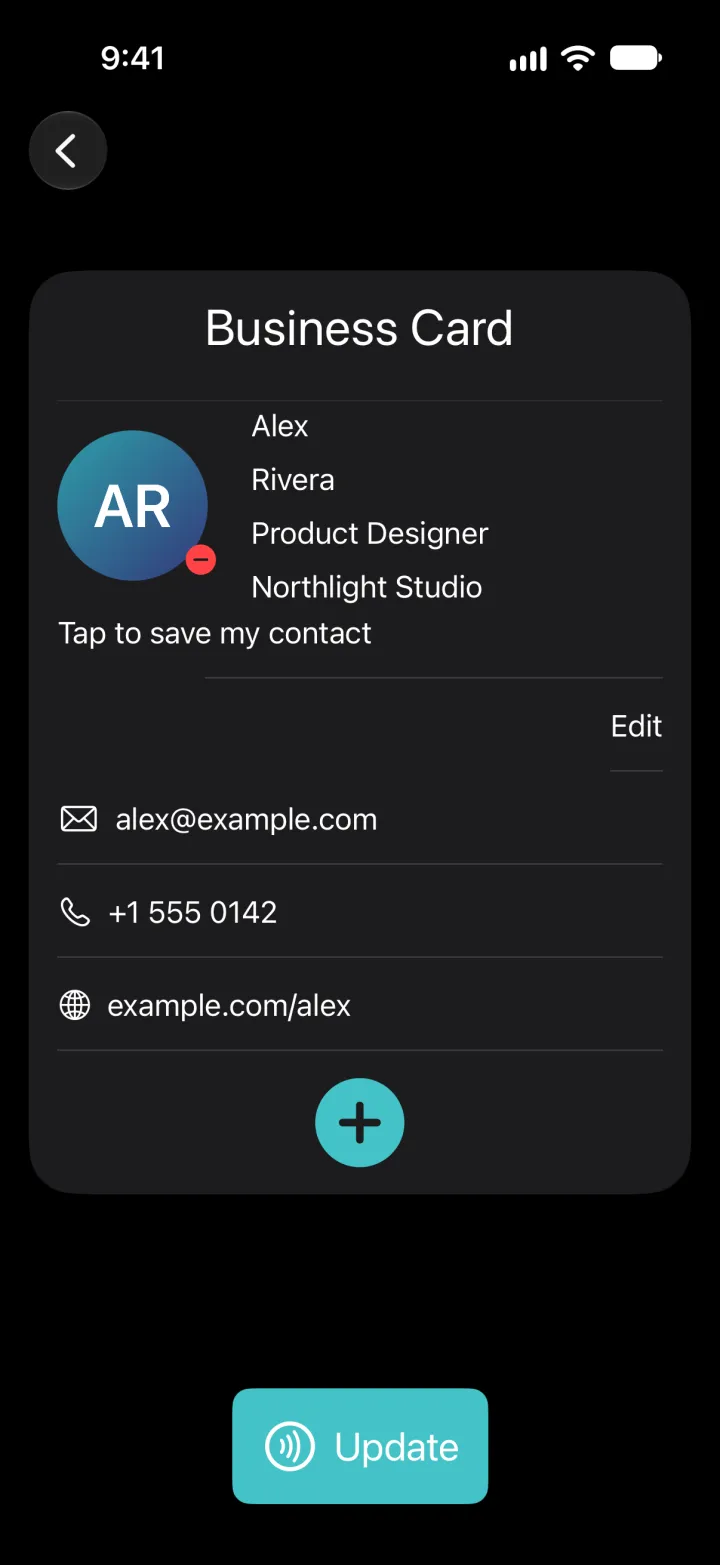
相手がスマートフォンをあなたの手にかざすと、ウェブサイトやプロフィール、連絡先が開きます。NFC対応のスマートフォンなら、アプリなしで読めます。Someone holds their phone to your hand and your website, profile or contact card opens. An NFC-capable phone reads it without an app.

  • ここは、わざと公開される場所です。NFC Shareの中身は、NFC対応のスマートフォンをかざせば誰でも読めます。だから鍵や秘密はここではなく、他のアプレットの中に置きます。This part is public on purpose. Anyone who holds an NFC phone to it can read what is in NFC Share, so keys and secrets are kept in the other applets, not here.
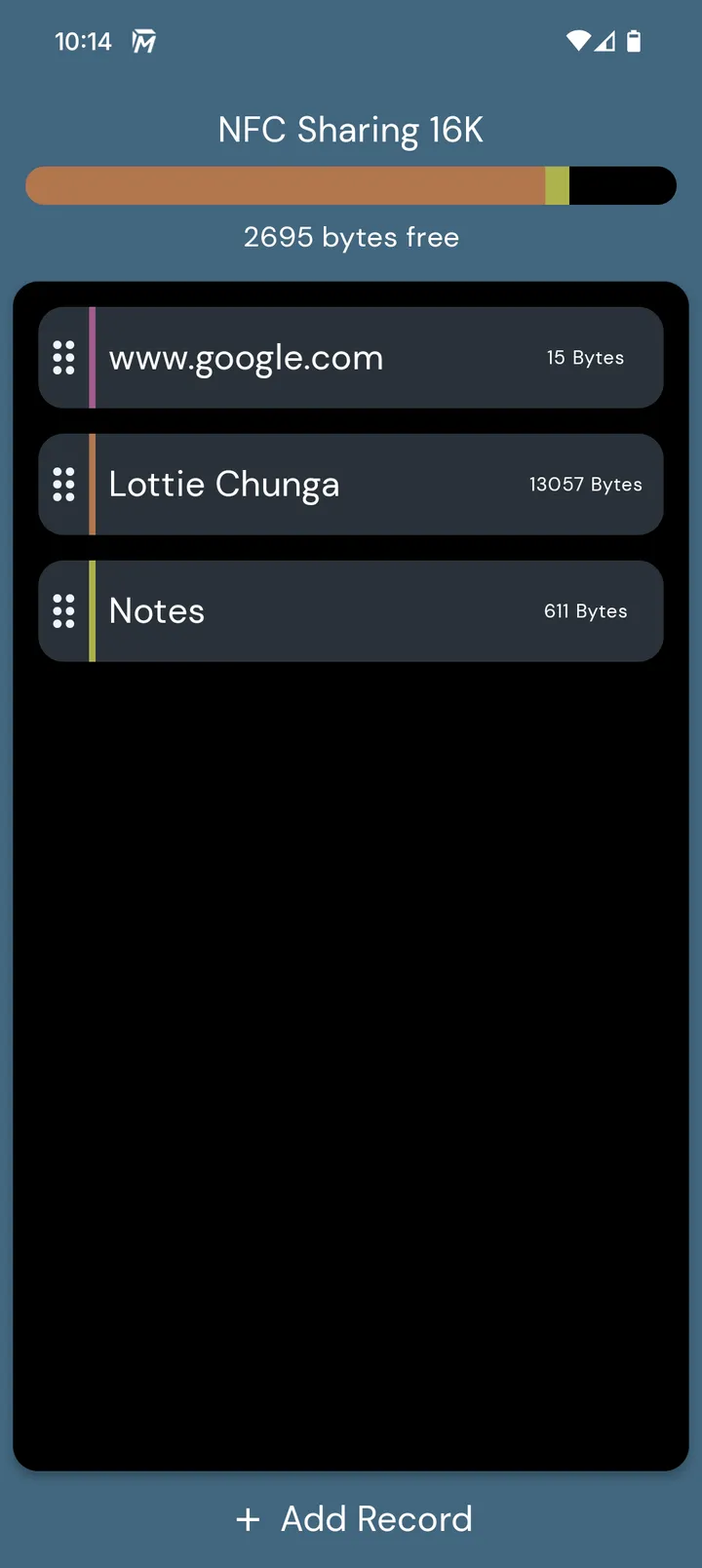
  • 容量は導入時に決まります(1 kBから32 kB)。あとから変えるには削除と再導入が必要で、中身は消えます。32 kB版だけでチップの3分の1以上を使います。NFC Shareは同時にひとつだけです。Size is chosen when you add the applet, from 1 kB to 32 kB, and changing it later means deleting and re-adding the applet, which erases the content. A 32 kB share alone takes more than a third of the chip. Only one NFC Share can exist at a time.
03

2段階認証コードTWO-FACTOR CODES

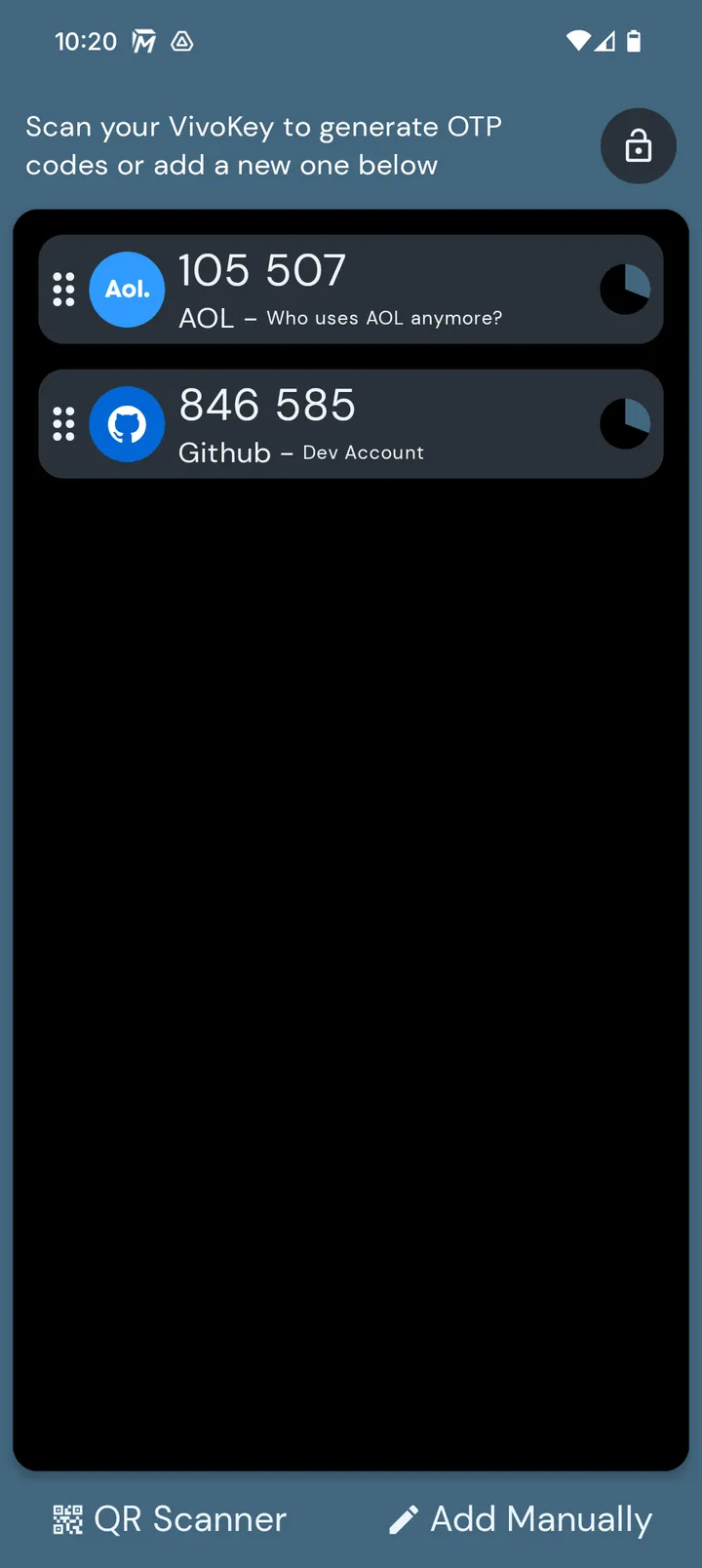
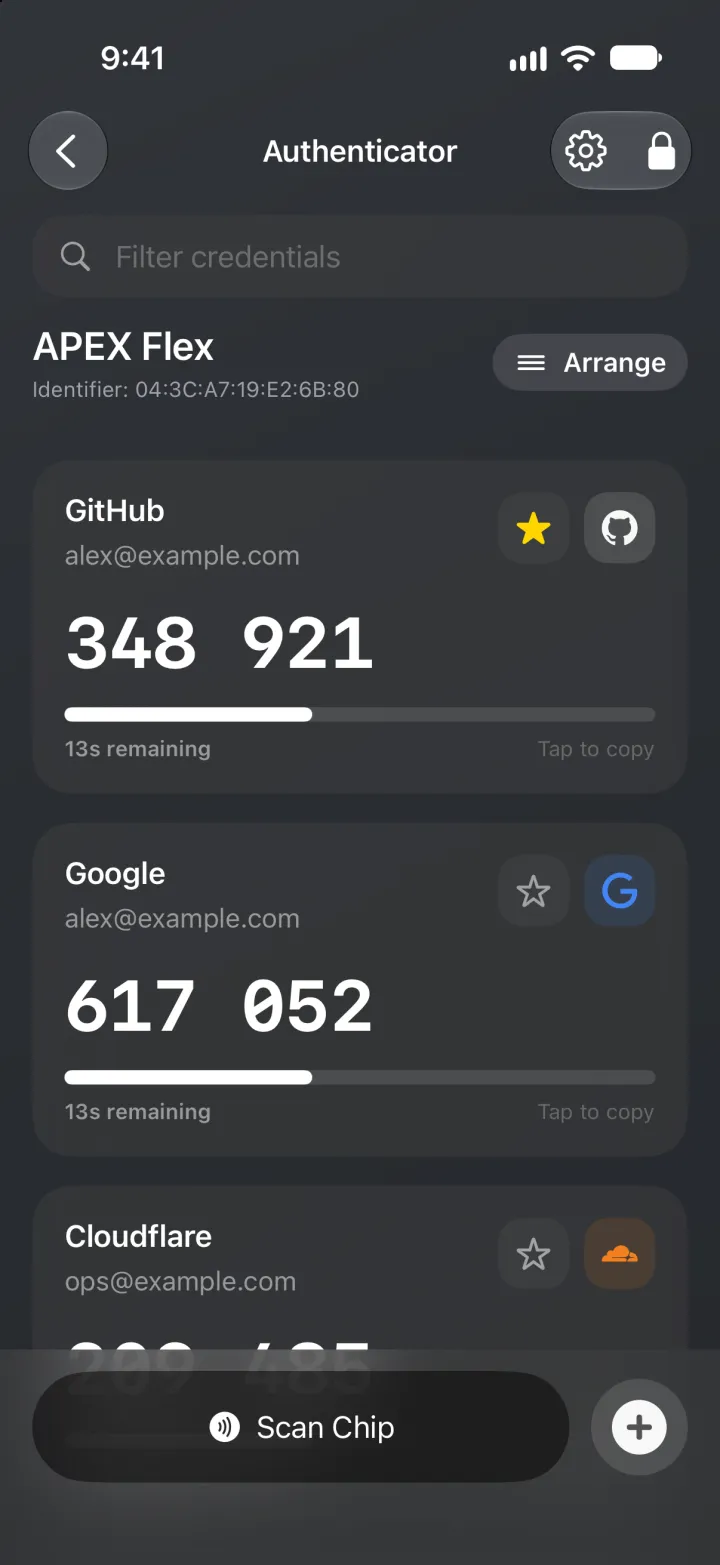
OTP Authenticator (TOTP / HOTP)

  • iPhoneiPhone: 条件つきwith conditions
  • AndroidAndroid: 対応works
  • PC / MacPC / Mac: 対応works

6桁のコードを、チップの中の秘密から。Six-digit codes from a secret kept inside the chip.

サービスで認証アプリを選ぶService offers an authenticator app秘密をApexに登録The secret goes into the Apexかざしてコードを表示Hold the implant, read the code6桁を入力Enter the six digits

仕組みと制限How it works, and its limits

おなじみの6桁のコードを、スマートフォンのアプリではなく、チップの中の秘密から生成します。The familiar six-digit codes, generated from a secret stored in the chip instead of in an app on your phone.

  • 使えるのは、標準的な認証アプリのコードに対応したサービスです。確かな方法はAndroidとデスクトップです。Works with any service that offers standard authenticator-app codes. Android and desktop are the documented routes.
  • iPhoneではYubico Authenticator経由で使えますが、不安定だという利用者の報告があります。On iPhone it works through Yubico Authenticator, with some instability reported by users.
  • 復旧用コードは必ず保管してください。秘密がApexの中にしかない場合、それが使えなくなったときにアカウントへ戻れるかどうかは、各サービスの復旧手段次第です。Keep your recovery codes. If the secret lives only in the Apex, getting back into the account without it depends on the service's own recovery.
04

パスワード保管庫PASSWORD VAULT

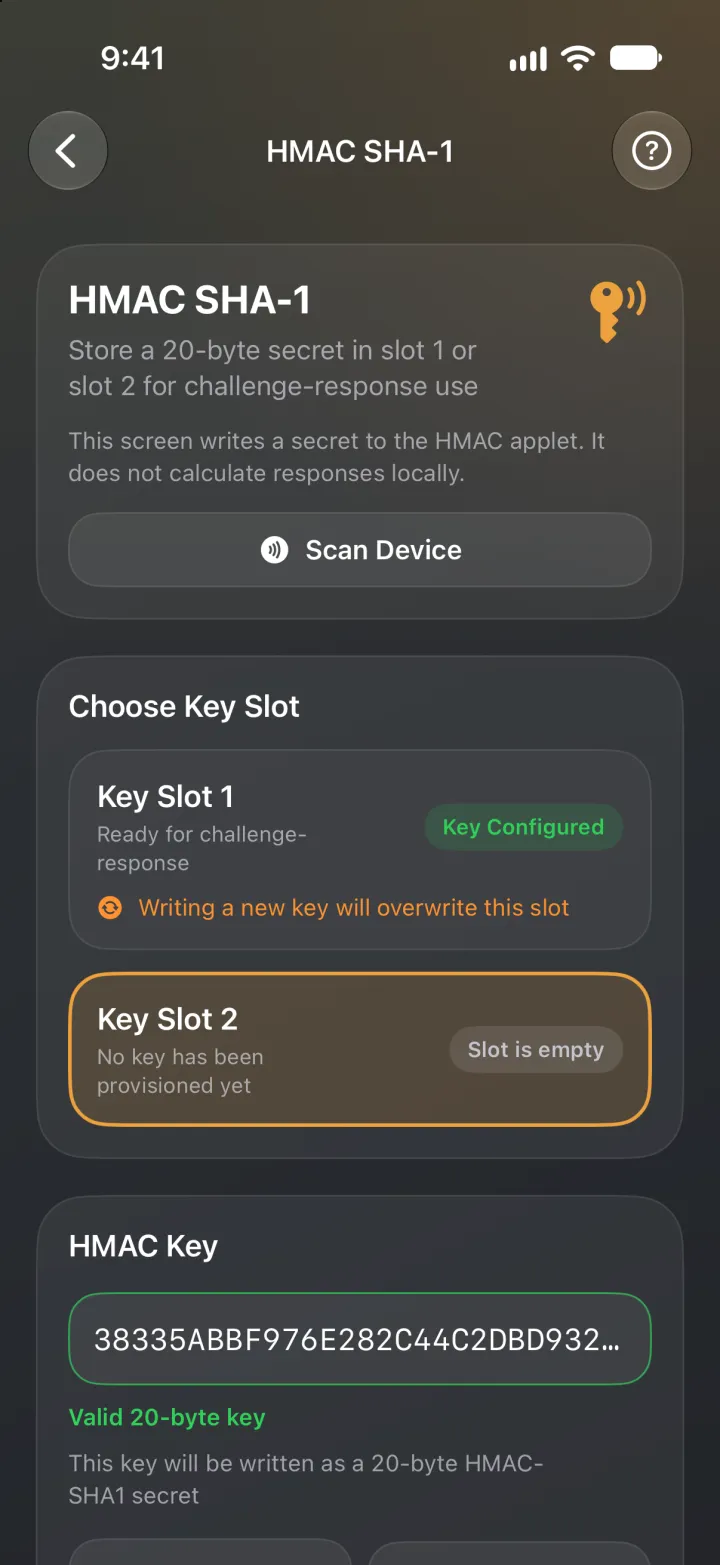
HMAC-SHA1 challenge-response

  • iPhoneiPhone: 条件つきwith conditions
  • AndroidAndroid: 対応works
  • PC / MacPC / Mac: 対応works

マスターパスワードだけでは開かない保管庫に。The master password alone no longer opens your vault.

暗号化された保管庫Encrypted vaultマスターパスワードMaster passwordApexの応答Answer from the Apex保管庫が開くVault opens

仕組みと制限How it works, and its limits

KeePassXCなどのパスワード管理ソフトは、マスターパスワードだけでは開かないように設定できます。ソフトがApexに問いかけ、チップが外に出ない秘密で答えて、はじめて保管庫が開きます。A password manager such as KeePassXC can be set so that the master password alone does not open the vault. The software sends the Apex a challenge, the chip answers with a secret that never leaves it, and only then does the vault open.

  • 使えるのは、デスクトップのKeePassXCとAndroidのKeePass2Androidです(利用者コミュニティのApex認証ガイドに手順があります)。iPhoneではStrongboxがこの方式に対応していますが、埋め込んだApexとの組み合わせは、保証ではなく動作報告の段階です。Works with KeePassXC on the desktop and KeePass2Android, as documented in the Apex authentication guide by the community. Strongbox supports this on iPhone; treat its use with an implanted Apex as reported compatibility, not a guarantee.
  • ファイルが盗まれ、パスワードが知られても、チップの応答がなければ保管庫は開きません。Stolen file, known password, still locked: without the chip's answer the vault does not open.
  • 注意:秘密と、それを持つ唯一のデバイスを両方失うと、保管庫は二度と開けなくなることがあります。同じ秘密を別のデバイスにも登録して、予備にしてください。Watch out: lose the secret and the only device holding it, and the vault may never open again. Program the same secret into a second device as a backup.
05

暗号化と署名ENCRYPT + SIGN

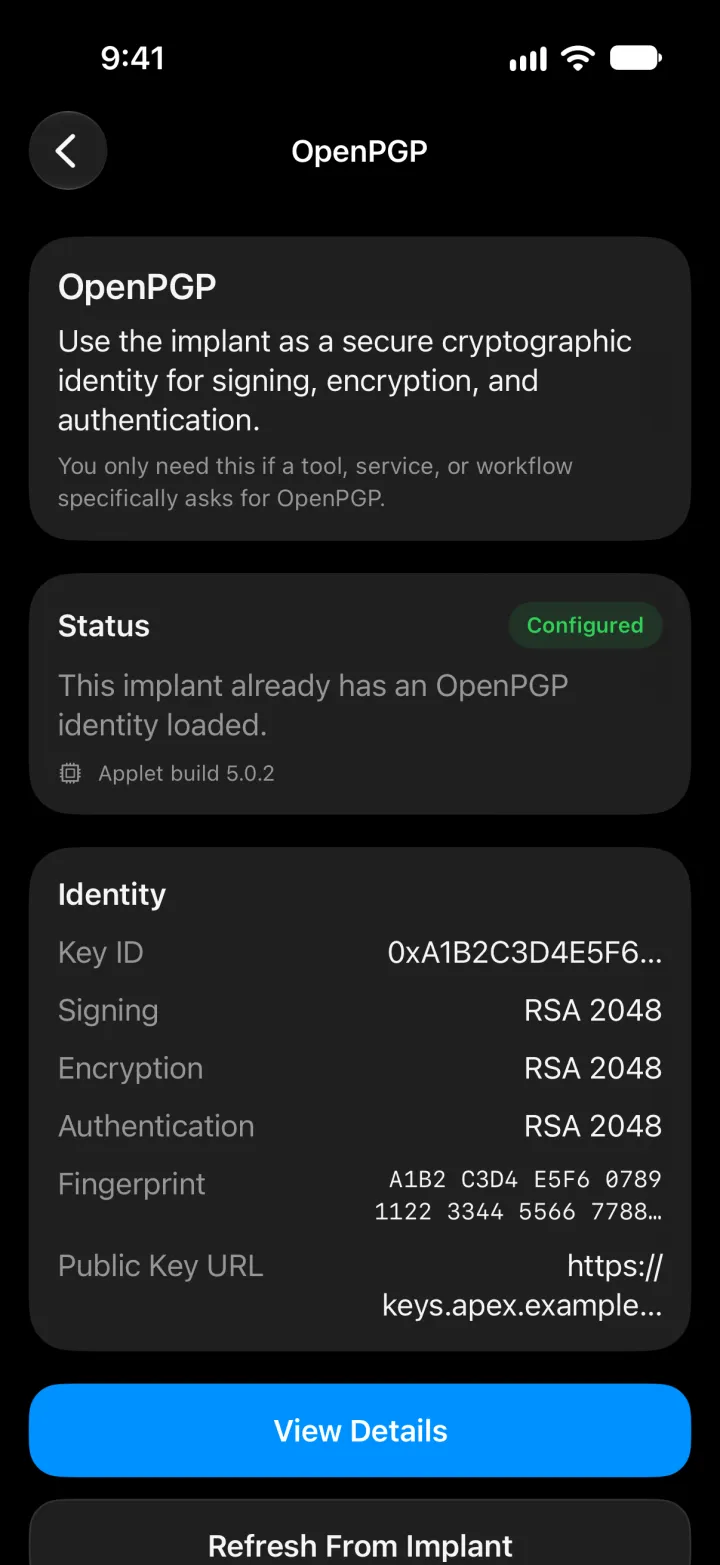
SmartPGP (OpenPGP Card 3.4)

  • iPhoneiPhone: 非対応no route
  • AndroidAndroid: 対応works
  • PC / MacPC / Mac: 対応works

PGPの秘密鍵は、チップの中にとどまります。Your PGP private key stays inside the chip.

パソコンの暗号化ファイルEncrypted file on your computerリーダーにかざすHold the implant to the readerチップの秘密鍵で復号The chip's private key decryptsファイルが読めるFile readable

仕組みと制限How it works, and its limits

ApexがOpenPGPカードとして動作します。鍵はチップ内で生成され、そこで使われます。ファイルはパソコンやクラウドに置いたまま、署名と復号をチップが行います。The Apex acts as an OpenPGP card. Keys are generated on the chip and used there. Your files stay on your computer or in the cloud, and the chip does the signing and decrypting.

  • 使えるのは、デスクトップのGnuPG 2.1.16以降(PC/SCリーダーを使用)と、AndroidのOpenKeychainです。RSAと楕円曲線の鍵、署名、復号、認証に対応します。Works with GnuPG 2.1.16 or later with a PC/SC reader on the desktop, and OpenKeychain on Android. RSA and elliptic-curve keys, signing, decryption and authentication.
  • iPhoneで実用的な方法はありません。このアプレットと話せるアプリは、Androidとデスクトップにあります。No practical iPhone route. The clients that talk to this applet are on Android and on the desktop.
  • 向いているのは、すでにPGPで署名や暗号化をしている方、開発者、セキュリティの仕事をしている方です。多くの方には必要ありません。Who it is for: people who already sign or encrypt with PGP, developers and security work. Most people will not need it.
06

小さな秘密SMALL SECRETS

SeedKeeper

  • iPhoneiPhone: 条件つきwith conditions
  • AndroidAndroid: 対応works
  • PC / MacPC / Mac: 対応works

復旧用フレーズやコードを、PINの奥に。Recovery phrases and codes, behind a PIN.

失くせない秘密A secret you must not loseSeedKeeperに保存Saved into SeedKeeperPINとタップで取り出すPIN and a tap to read it

仕組みと制限How it works, and its limits

PINで守られた場所に、小さな秘密を保管します。復旧用フレーズ、復旧コード、強いパスワード、ウォレットの記述子、短いメモ。文書や写真は入りません。チップ全体で約82kBです。Stores small secrets behind a PIN: recovery phrases, recovery codes, strong passwords, wallet descriptors, short notes. Not documents or photos: the whole chip holds about 82 kB.

  • 公式アプリはSatochip社のもので、iPhoneとAndroidの両方でNFCで読み取ります。Official app for iPhone and Android, reading over NFC, from Satochip.
  • iPhoneでは、秘密を表示する2回目の読み取りでアプリが終了してしまう、という利用者の報告があります。これはインプラントではなくカードでの報告で、同じ利用者のAndroidでは動作しました。Apexでは当社もまだ確認できていないため、現時点ではAndroidのほうが確実です。On iPhone, users have reported the app closing on the second scan, the one that reveals a secret. That report was made with a card, not an implant, and the same user's Android phone worked. We have not confirmed it either way with an Apex, so Android is the safer route today.

ほかにも、できることMore things an Apex can do

暗号資産の取引に署名Sign crypto transactions

Satochip / Keycard

BIP32対応のハードウェアウォレットです。It is a BIP32 hardware wallet.

くわしくMore

ウォレットソフトが取引を用意し、鍵を外に出さずにチップが署名します。デスクトップのSparrow Walletで動作が確認されています。Electrumは標準では動かず、iPhoneで確認できた方法はありません。ApexではSatochipの真正性証明書は読み込めません(署名には影響しません)。Satodimeは非対応です。Keycard / Status系のKeycardも同じ種類のウォレットですが、どのアプリのどの版で動くかは時期によって変わります。The wallet software prepares the transaction and the chip signs it, without exporting the key. Confirmed with Sparrow Wallet on desktop; Electrum does not work out of the box, and there is no confirmed iPhone route. The originality certificate cannot be loaded on an Apex (signing is unaffected), and Satodime is not supported. Keycard, from the Keycard / Status ecosystem, is another wallet of this kind; which client and version works with it changes over time.

テスラのドアを開けるOpen your Tesla

Tesla Keycard

Apexをテスラのキーカードとして登録し、運転席側のBピラーのリーダーに手をかざします。Register the Apex as a Tesla key card, then hold your hand to the reader on the driver's side door pillar.

くわしくMore

キーカードが使えるのは、Model 3とModel Yの全車、2023年以降のModel SとModel Xです。ご自身の車両でご確認ください。導入時に削除できない鍵が作られるため、アプレットを消すと、車両への登録をやり直すことになります。Key cards work with all Model 3 and Model Y, and with Model S and X from 2023 on; confirm with your own car. Adding the applet makes a permanent key, so removing it means registering the implant with the car again.

Androidの暗号化ファイル保管庫An encrypted file vault on Android

VivoKey Vault

VivoKeyのAndroidアプリで、端末内のファイルを暗号化します。VivoKey's Android app encrypts files on the phone, and the key to open them comes from the Apex through FIDO2, with a PIN, even offline.

くわしくMore

開けるための鍵は、FIDO2を通じてApexから、PINとあわせて取り出します。オフラインでも使えます。ファイルは端末に置いたまま、開ける手段だけがインプラントにあります。Android専用で、iPhone版はありません。The files stay on the phone; the implant holds what opens them. Android only; there is no iPhone app.

開発者向け:自分だけの認証システムFor developers: your own login system

VivoKey Spark / Verify

工場で導入済みのIDアプレットを使うと、誰かが作ったアプリケーションに対して本人であることを証明できます。The identity applet, added at the factory, can prove who you are to an application someone builds.

くわしくMore

会員管理、入退室、独自のログインなど。完成したサービスではなく、作るための部品です。Think membership, access control or a custom login. It is a building block, not a ready-made service in Japan.

頼る前に、知っておくことBefore you rely on any of it

鍵は外に出ませんKeys never leave the device

鍵はチップの中で生成され、チップの中で使われます。当社にもVivoKeyにも読み出せません。それは同時に、失われたときに誰にも復元できないということでもあります。Keys are generated on the chip and used on the chip. Neither we nor VivoKey can read them, and that also means nobody can recover them for you.

全部は同時に入りませんThey do not all fit at once

全体で約82kB。アプレットは保存領域と実行時RAMの両方を使います。32 kB版のNFC Shareだけで、チップの3分の1以上を占めます。優先順位をお聞かせいただければ、上から順に構成をご提案します。About 82 kB in total, and each applet needs both storage and transient RAM. A 32 kB NFC Share alone takes more than a third of the chip. Tell us your priority order and we propose a configuration from the top down.

アプレットを消すと、中身も消えますDeleting an applet deletes what is in it

アプレットを削除したり更新したりすると、中の鍵やデータは消え、元には戻せません。頼る前に、予備の手段を用意してください。Removing or updating an applet erases the keys and data inside it, and nothing can bring them back. Plan backups before you rely on any of them.

入るかどうか試すWill it fit?

Apexに入れたいものを選ぶと、メモリに収まるかどうかが分かります。Pick what you want on your Apex and see whether it fits in the memory.

iPhoneについてIPHONE, HONESTLY

「iPhoneで使えますか」は、実は3つの質問です。iOSがその方式で通信できるか。そのアプレット用のアプリがあるか。そのアプリが、皮膚の下の小さなアンテナで実際に動くか。答えはいつも同じではありません。"Does it work on iPhone?" is really three questions: can iOS speak the protocol, is there an app for this applet, and does that app work with a small antenna under your skin. The answers are not always the same.

FIDO2使えますWorks
iOSの通信iOS speaks it
可Yes
アプリApp exists
ありYes
埋め込んだ状態Under the skin
確認済みConfirmed
NFC Share使えますWorks
iOSの通信iOS speaks it
可Yes
アプリApp exists
不要Not needed
埋め込んだ状態Under the skin
動作Works
OTP条件つきWith conditions
iOSの通信iOS speaks it
可Yes
アプリApp exists
ありYes
埋め込んだ状態Under the skin
不安定の報告ありSome instability reported
HMAC (KeePass)条件つきWith conditions
iOSの通信iOS speaks it
可Yes
アプリApp exists
あり(Strongbox)Yes (Strongbox)
埋め込んだ状態Under the skin
報告のみ、保証なしReported, not guaranteed
SeedKeeperAndroidが確実Android is safer
iOSの通信iOS speaks it
可Yes
アプリApp exists
ありYes
埋め込んだ状態Under the skin
未確認(カードでアプリ終了の報告あり)Not confirmed (app closing reported on a card)
SmartPGP非対応No route
iOSの通信iOS speaks it
理論上は可Possible
アプリApp exists
実用的なものなしNo practical app
埋め込んだ状態Under the skin
未確認Not tested
Satochip保証しませんNot promised
iOSの通信iOS speaks it
理論上は可Possible
アプリApp exists
アプリ次第Varies
埋め込んだ状態Under the skin
未確認Not confirmed
アプレットの追加Adding applets小さなものは可。FIDO2はAndroidからSmall ones yes; FIDO2 from Android
iOSの通信iOS speaks it
可Yes
アプリApp exists
あり(Fidesmo)Yes (Fidesmo)
埋め込んだ状態Under the skin
小さなものは導入できた報告あり。FIDO2は20秒の打ち切りで失敗することがあるSmall applets reported fine; FIDO2 can hit the 20 second cutoff

対応環境PLATFORMS

アプレットの導入はFidesmoアプリで、スマートフォンをインプラントにかざして行います。入れたアプレットの管理はVivoKey Apex Managerで行います。その先で何ができるかはアプレット次第で、パソコンの場合はリーダーにも左右されます。Applets are added to the chip with the Fidesmo app, on a phone held to the implant; VivoKey Apex Manager then manages the applets already added. What each platform can do beyond that depends on the applet and, on a computer, on the reader.

Android

推奨の環境です。Fidesmoでのアプレットの導入(大きなものも含めて)、Apex Managerでの管理、OTP、FIDO2、OpenKeychainによるPGP、SatochipクライアントのいずれもAndroidで動きます。The recommended route. Adding applets through Fidesmo (the large ones included), managing them in Apex Manager, OTP, FIDO2, PGP through OpenKeychain, and the Satochip client all run on Android.

iPhone

NFC Shareの読み取りとFIDO2のログインは、iPhoneだけで動きます。iPhoneからも、OTP、NFC Share、テスラのような小さなアプレットはFidesmoで導入できます。ただしFIDO2のような大きなものは、iOSがNFCの通信を約20秒で打ち切るため、途中で失敗することがあります。これらはAndroid端末(SIMなし、ご自身のものでなくても構いません)かデスクトップのリーダーから導入してください。用途ごとの答えはiPhoneについて、正直ににまとめています。Reading an NFC Share and logging in with FIDO2 work on an iPhone alone. From an iPhone, small applets such as OTP, NFC Share and Tesla can be added through Fidesmo, but large ones such as FIDO2 can fail, because iOS cuts an NFC session off at about 20 seconds; add those applets from an Android phone (borrowed is fine, no SIM needed) or a desktop reader. The answer for each use is in iPhone, honestly.

Mac

macOSにはNFCがないため、USBのPC/SCリーダーが必要です。当社のベンチではACR1252Uを使い、SafariでのFIDO2の登録とログインを確認しています。PGPはgpgでの動作が報告されています。Macで登録した資格情報はそのままiPhoneでも認識されました。登録は一度で、両方で使えます。macOS has no NFC, so a USB PC/SC reader is required. On our own bench, with an ACR1252U, FIDO2 registration and login pass in Safari. PGP through gpg is reported working. A credential registered on the Mac was then recognized on an iPhone: register once, use on both.

Windows / PC

PC/SCリーダー経由で使います。どのアプレットを扱えるかは、そのパソコンに入っているソフトウェア次第です。そのソフトウェアのサポートは各提供元の範囲になります。Through a PC/SC reader. Which applets you can drive depends on the software on that machine, and that software belongs to its vendor.

皮下での読み取り距離は、手に持ったときより短くなります。機種、リーダー、当てる向き、埋め込みの深さ、体組織に左右されます。Read range under the skin is shorter than in the hand. It depends on the phone, the reader, the orientation, the depth of placement and your own tissue.

アプリAPPS

チップに入っているアプレットを確認し、管理するアプリは、Android用とiOS用で2つあり、作り手も別です。アプレットの導入そのものは、どちらでもなくFidesmoアプリで行います。Two apps show and manage the applets already on the chip, one for each platform, from two different makers. Adding applets to the chip is done in the Fidesmo app, not in either of them.

VivoKey Apex Managerのアイコン(Android)

VivoKey Apex Manager Android

VivoKey製。英語のみ。By VivoKey. English only.

公開中Available now

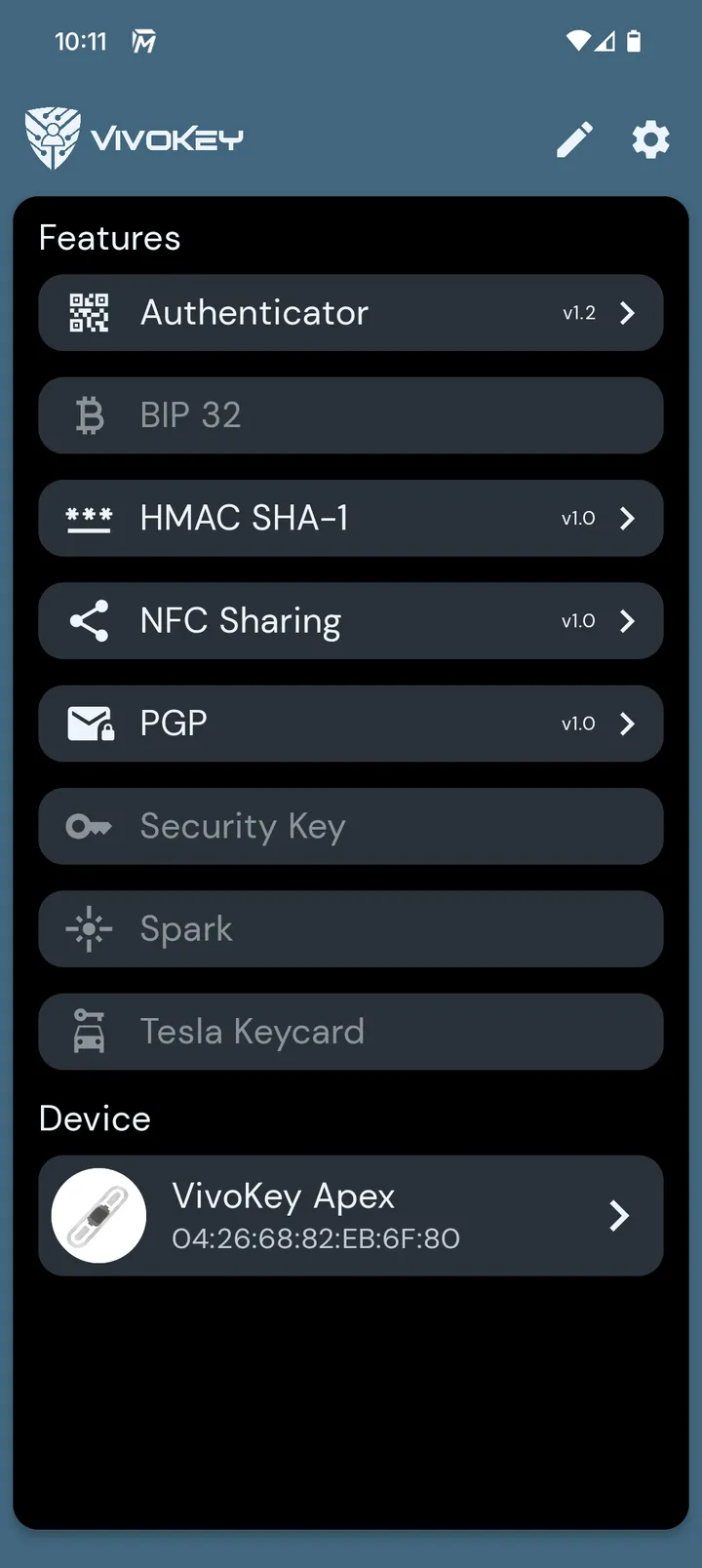
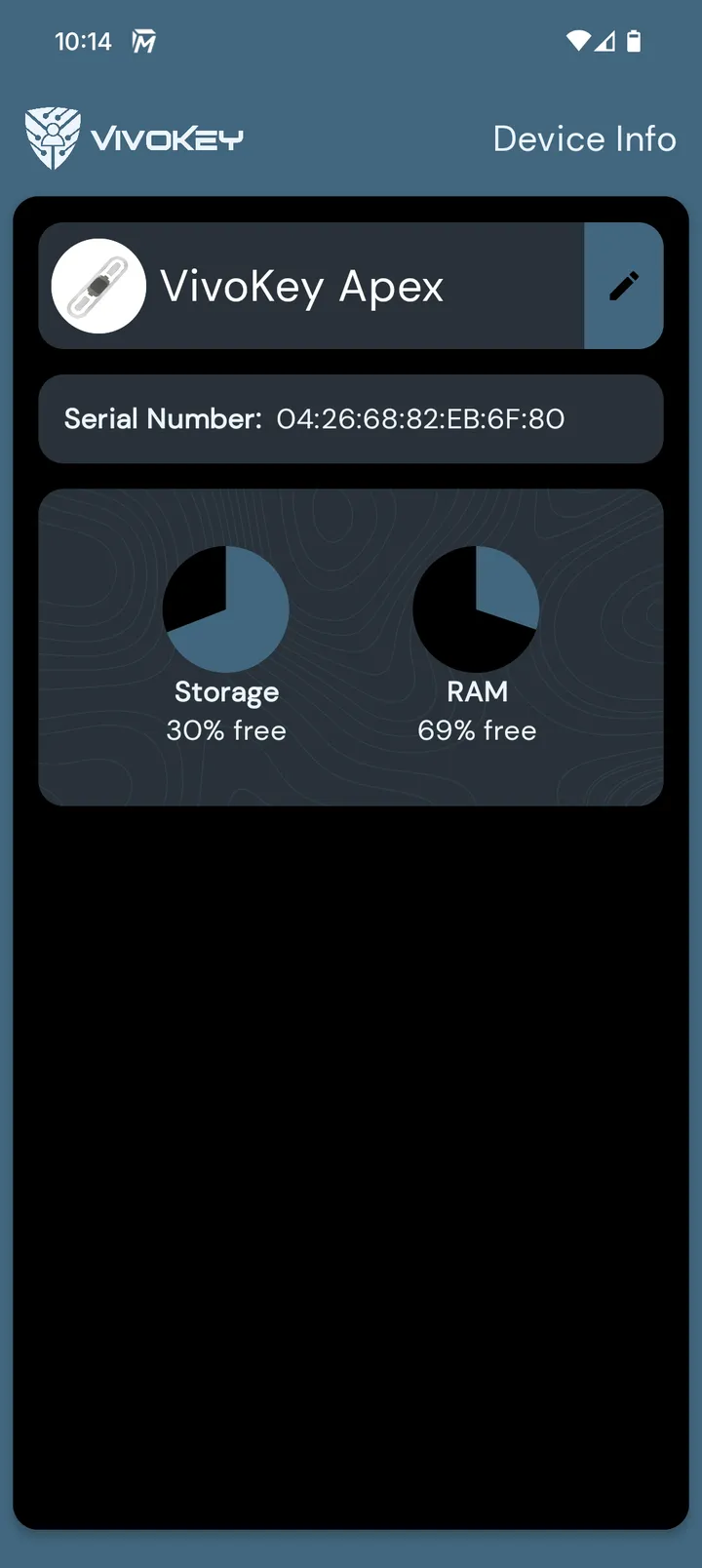
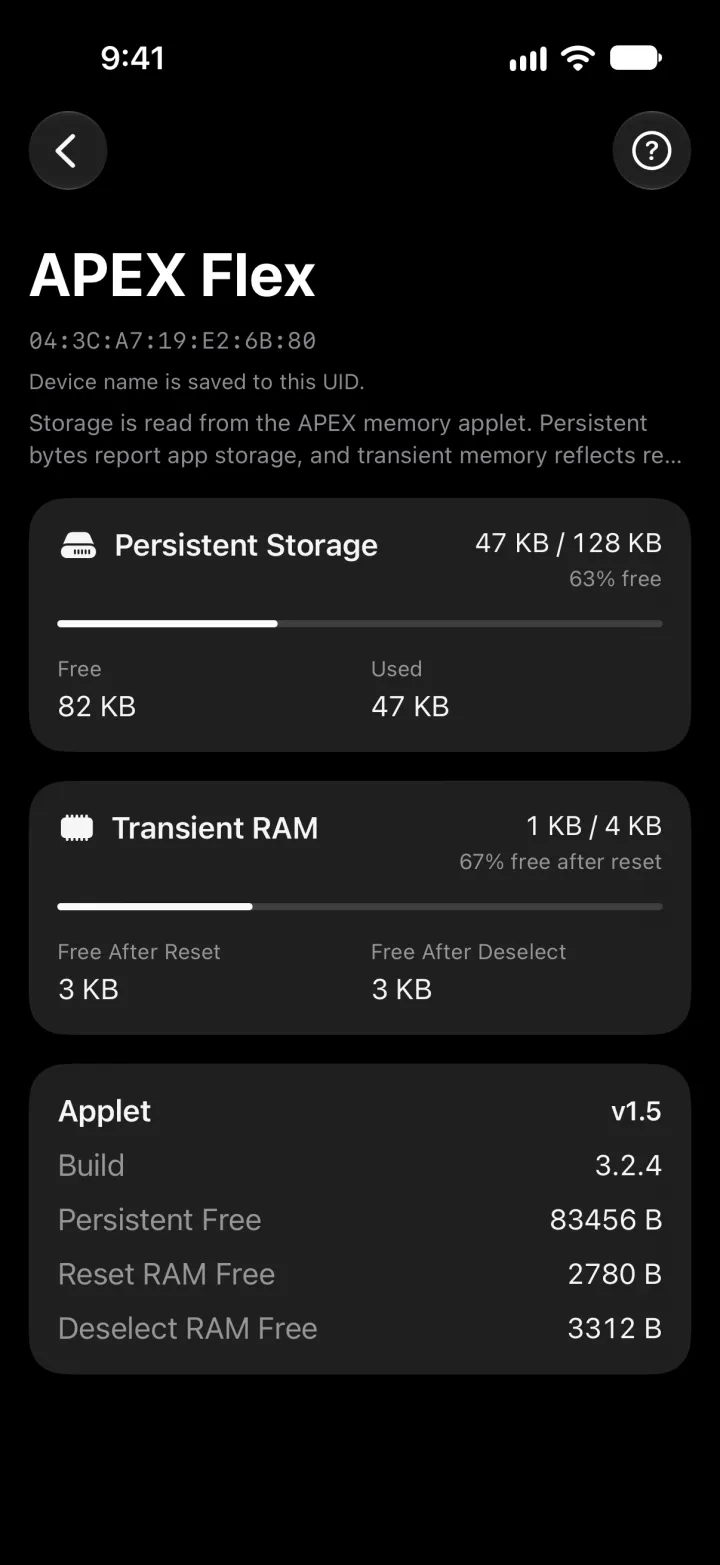
スマートフォンをインプラントにかざして、入っているアプレットや空き容量を確認し、ワンタイムコード、NFC Shareの記録、HMACの鍵などを扱えます。アプレットの導入はこのアプリではなく、Fidesmoアプリで行います。アプリは英語のみです。Hold the phone to the implant to see which applets have been added, how much storage is free, and to use several of them: OTP codes, NFC Share records, HMAC keys. It does not add applets to the chip; Fidesmo does. The app is in English only.

Google PlayでVivoKey Apex Managerを見るVivoKey Apex Manager on Google Play →
iOS版Apex Managerのアイコン iOS版Apex Managerのアイコン

Apex Manager iOS

VivoKey Japan製。日本語と英語に対応。By VivoKey Japan. Japanese and English.

近日公開Coming soon

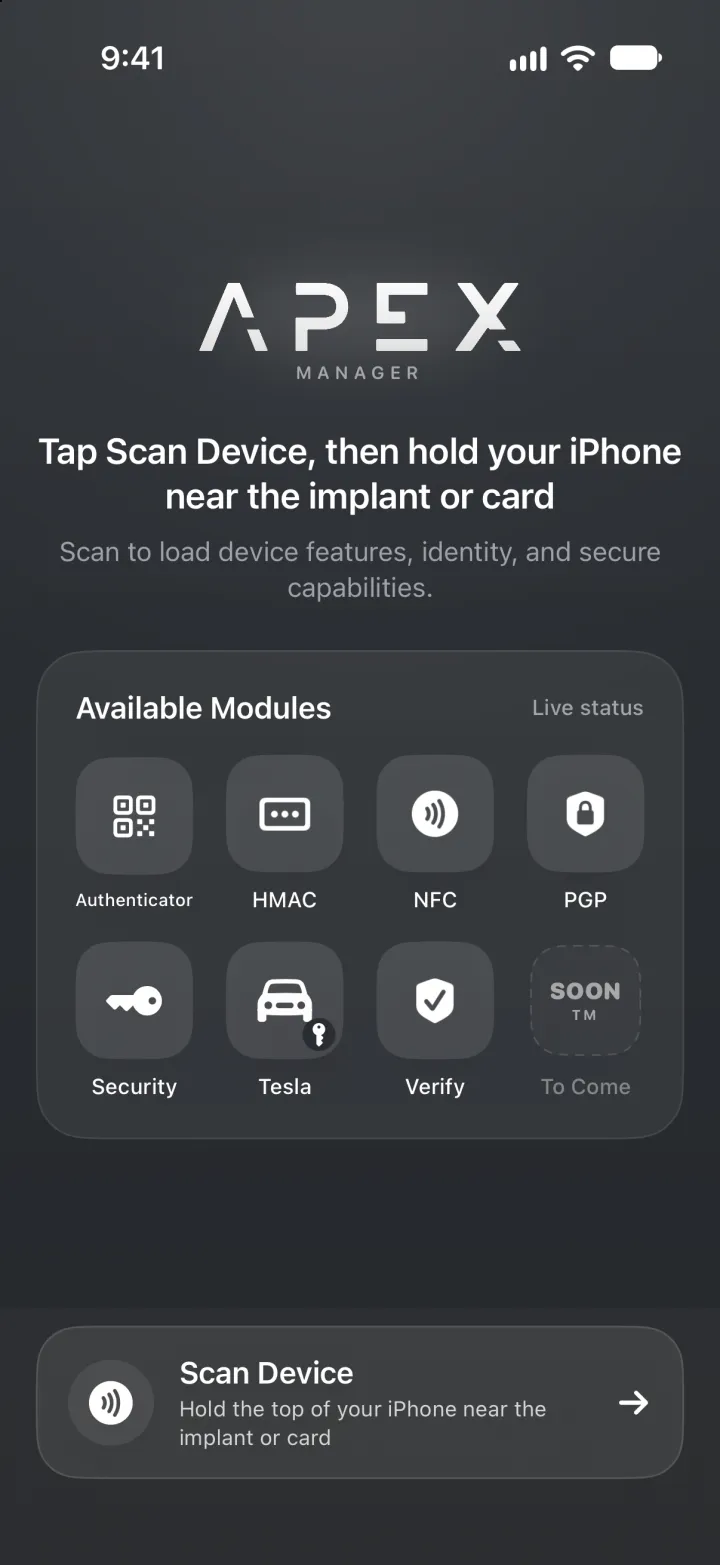
VivoKey Japanが日本語の画面で開発しました。VivoKey JapanからApp Storeで近日公開します。アプレットの導入はこれを待つ必要がありません。導入はFidesmoアプリの役目で、FidesmoアプリはすでにiOS版があります。Built by VivoKey Japan with a Japanese interface, and coming soon to the App Store from VivoKey Japan. Adding applets to the chip does not wait for it: that is Fidesmo's job, and the Fidesmo app is on iOS today.

iOS版Apex Manager:機能、プライバシー、サポートApex Manager for iOS: features, privacy and support →

アプレットはFidesmoのプラットフォームで配信され、Fidesmoアプリで導入します。iOS・Androidともに提供元はVivoKeyではなくFidesmo ABです。iPhoneからも、OTP、NFC Share、テスラのような小さなアプレットはFidesmoで導入できます。ただしFIDO2のような大きなものは、iOSがNFCの通信を約20秒で打ち切るため、途中で失敗することがあります。これらはAndroid端末(SIMなし、ご自身のものでなくても構いません)かデスクトップのリーダーから導入してください。Applets are delivered through the Fidesmo platform and added to the chip with the Fidesmo app, on iOS and Android, both from Fidesmo AB, not VivoKey. From an iPhone, small applets such as OTP, NFC Share and Tesla can be added through Fidesmo, but large ones such as FIDO2 can fail, because iOS cuts an NFC session off at about 20 seconds; add those applets from an Android phone (borrowed is fine, no SIM needed) or a desktop reader. iOS / Android

カタログの読みかたTHE CATALOG

アプレットは複数の提供元がFidesmoのプラットフォームに公開しており、Fidesmoアプリでインプラントにスマートフォンをかざして導入します。世界中を対象にしたカタログなので、中身は動きます。増えることも消えることもあり、容量もバージョンによって変わります。何年も付き合う製品ですので、先に知っておいていただきたいところです。Applets are published to the Fidesmo platform by several vendors, and you add them to the chip by holding a phone to the implant, through the Fidesmo app. It is a catalog built for the whole world, and it moves: entries are added and removed, and their sizes change from one release to the next. That is worth knowing before you choose something you will keep for years.

カタログは当社のものではありませんThe catalog is not ours

プラットフォームを運営しているのはFidesmoで、各提供元がそこにアプレットを公開しています。VivoKeyも他社と並んで自社のアプレットを出しています。お手元の画面に何が並ぶかは、VivoKey JapanもVivoKeyも決めているものではありません。Fidesmo runs the platform and the vendors publish to it. VivoKey puts its own applets there alongside other companies', and neither VivoKey Japan nor VivoKey decides what appears in the list on your phone.

ラインナップは入れ替わりますThe list moves

アプレットは追加も削除もされ、容量も新しいリリースで変わります。今の組み合わせが収まったからといって、来年も同じとは限りません。容量の見積もりは、その時点のものとお考えください。Applets appear and disappear, and their sizes change with new releases. A combination that fits today is not a promise about next year, so treat any capacity plan as a snapshot of the moment it was made.

空き容量の表示にもアプレットが要りますFree Memory is an applet too

Apex Managerは、Free Memoryというアプレットを入れるまで空き容量を表示できません。そのアプレット自体もわずかに容量を使います。空き容量が表示されないときは、多くの場合、これが理由です。Apex Manager cannot report free space until you add the Free Memory applet, and that applet occupies a little space itself. If your memory readout shows nothing, this is usually the reason.

世界中を対象にしたカタログには、日本にはサービスの実体がないアプリも並びます。それでもアプレットの追加自体はできてしまい、チップの容量も使います。よくお尋ねいただくものを2つ挙げます。これがすべてという意味ではありません。カタログは変わるので、3つ目が現れることもあります。A catalog serving the whole world also lists apps that have no service behind them in Japan. You can still add them to the chip as applets, and they still take up space. Two of them come up often enough to name here. They are examples, not a complete list: the catalog changes, so a third could appear at any time.

Fidesmo Pay

非接触決済のサービスで、提供元はVivoKeyではなくFidesmo ABです。Fidesmo Payの対応カード市場に、現在日本は含まれていません。さらに大切なこととして、カタログにFidesmo Payが表示されていても、Apexインプラントが決済デバイスになるわけではありません。決済には、対応する決済機能つきの製品と、対応するカードおよび発行会社が必要です。VivoKey Japanは決済機能つきインプラントを取り扱っておらず、Apexインプラントは現在、非接触決済には使えません。Contactless payment service provided by Fidesmo AB rather than VivoKey. Japan is not currently listed among Fidesmo Pay's supported card markets. More importantly, seeing Fidesmo Pay in the catalog does not make an Apex implant a payment device: payment requires a supported, payment-enabled product and a compatible card and issuer. VivoKey Japan does not offer payment-capable implants, and Apex implants cannot currently be used for contactless payment.

VivoKey PIV

PIVは、アメリカ連邦政府の各機関とオンラインでやり取りするための身分証明の規格です。日本には対応する仕組みがなく、認証する相手が存在しません。VivoKeyのアプリ紹介にも載っていないため、多くの方はカタログの中で初めて目にすることになります。PIV is the credential standard used to interact digitally with agencies of the United States federal government. It has no counterpart in Japan, so there is nothing here for it to authenticate against. It is not listed on VivoKey's own app pages either, so the catalog is where most people meet it for the first time.

迷ったら、アプレットを入れる前にご相談くださいAsk before you add an applet

一覧の中に、日本で実際に使えるのか分からないものがあれば、アプレットを追加する前に公式LINEでお尋ねください。分かっている範囲でお答えし、容量をどれくらい使うかもお伝えします。カタログの画面よりも、当社にお尋ねいただいたほうが早い部類の質問です。If you are not sure whether something in the list has a service behind it in Japan, ask us on the official LINE account before you add the applet. We will tell you what we know, and roughly what it would cost you in space. That is a question worth asking us rather than the catalog.

VivoKey自身のIDアプレットであるSparkは工場で導入済みで、お客様が入れたり外したりするものではありません。すべてのApexに最初から入っている前提の部分です。Spark, VivoKey's own identity applet, is already on the chip from the factory, and is not something you add or remove. It is part of the baseline every Apex arrives with.

そして決済は?AND PAYMENTS?

やっぱりまだできません…Nope. It still doesn't do payments.まだね 😏...yet 😏

決済はできませんNo payment

決済機能は、カードネットワークが承認したEMV認証製品にのみ有効化されます。インプラント型の決済デバイスを認可した決済ネットワークはありません。VivoKey Japanは決済機能つきインプラントを取り扱っておらず、Apexで支払いをすることはできません。Payment is enabled only on EMV-certified products approved by the card networks, and no payment network has authorized an implantable payment device. VivoKey Japan does not offer payment-capable implants, and an Apex cannot be used to pay.

インストールINSTALLATION

Apexは受注後のお取り寄せですApex is a special order

Apexは常時在庫している製品ではありません。製造元の最小発注単位の関係で、ご注文ごとに製造元から取り寄せるため、ご注文からインストールまでにお時間をいただきます。お支払いは銀行振込、ご注文は1回につき1点で、他の製品と同じです。18歳未満は親権者の同意が必要。The manufacturer sells Apex only in minimum order lots, so we do not stock it: each Apex is ordered in from the manufacturer for one customer. There is a lead time between your order and the installation. Payment is by bank transfer, one implant per order, as with every product we sell. Under 18: guardian's consent required.

インストールについてThe procedure

当社では、提携医師が小さく切開してインストールします。皮下にポケットを作り、器具を使わず滅菌手袋の手で本体を差し入れ、傷口の閉じ方は医師が判断します。決まった位置はありません。よく曲がる場所や握る面は避け、手の側面はおすすめしません。最終的な位置は医師と相談して決めます。At VivoKey Japan an Apex is placed by a partner physician, through a small incision. A subdermal pocket is made, the device is slid in by sterile gloved hand without tools, and the wound is closed at the physician's judgment. There is no single correct location. Areas that flex or grip are avoided, and the side of the hand is not recommended. The final placement is decided with the physician.

  • 握る面の下には入れない(手のひら側は不可)Not under a gripping surface (no palm-side placement)
  • 関節の上や、関節に沿った位置には入れないNot on or parallel to a joint
  • 手の側面や縁はおすすめしないThe side or edge of the hand is not recommended
  • ModuleとSpectrumは手首や指には入らないModule and Spectrum are too large for the wrist or fingers

インストール料は含まれませんThe procedure fee is not included

このページに記載の価格は、本体のみの価格です。インストール料は提携医師が定めるもので、当社が決めるものではありません。ご紹介の際に、その提携医師の金額をお伝えします。提携医師については提携医師のご案内、費用の全体像は費用の目安をご覧ください。The prices on this page are for the implant only. The procedure fee is set by the partner physician, not by us, and we tell you that physician's figure when we introduce you. See partner physicians for where they are and cost for a full example added up.

製造元で滅菌・封入された状態で提携医師のもとに届き、パウチが開けられるのは当日、医師の手によってです。お客様の手元を経由することはありません。It reaches your partner physician sealed and sterile from the manufacturer, and the pouch is opened by the physician on the day. It does not pass through your hands.

MRI・画像検査MRI AND IMAGING

MRI検査を受けるときBefore an MRI scan

MRIについて詳しくFull MRI advisory

Apexについて、メーカーはMRIに関するデータ、正式なMR資料、MRカードを提供していません。フレックス製品のMRI試験も実施していません。メーカーはフレックス製品にフェライトコアはないと説明していますが、これは構造の説明であり、試験の結果でも安全性についての説明でもありません。検査の前に必ず医師と放射線科のスタッフにお伝えいただき、その判断に従ってください。The manufacturer does not provide MRI data, a formal MR document, or an MR card for any Apex. It also has not had the flex products MRI tested. The manufacturer describes the flex products as having no ferrite core; that describes how they are built, it is not a test result and it is not a safety statement. Before any scan, tell your physician and the radiology staff, and follow their judgment.

保証WARRANTY

製造元Dangerous Thingsは、製品群ごとに保証条件を定めています。Apexのフレックスのアンテナは、バイオレジン製のSpectrumとは保証内容が異なります。The manufacturer, Dangerous Things, warranties implants by product line. Apex's flex antennas carry a different warranty from its bioresin Spectrum.

フレックス製品Flex implants

製造上の不具合があった製品は、1年間、無償で交換します。条件は2つ。専門家によるインストール(当社では提携医師)と、インストールの録画です。A unit with a manufacturing defect is replaced free of charge for 1 year, on two conditions: installation by a professional (for VivoKey Japan customers, a partner physician) and video of the procedure.

録画に必要なものWhat the video has to show

この録画は、保証請求のためのものです。必要なのは2場面だけです。(1)製品がパウチから清潔野に出される場面。(2)医師が器具を使わず手で本体を扱い、そのままインストールする場面。顔、氏名、施設名、術前準備、音声は不要です。The video exists for one purpose: a warranty claim. Only two moments: (1) the device coming out of its pouch onto the sterile field, and (2) the physician handling the device by hand, without tools, and installing it. No face, no name, no name of the place, no preparation, no audio.

  • 期間:1年間の限定保証Term: 1 year limited warranty
  • 対象製品:Apex Narrow、Apex Module、その他のフレックス製品(特注)Products: Apex Narrow, Apex Module, and other flex products by special order

バイオレジン製インプラントBioresin implants

製造元による限定生涯保証です。条件はガラス製インプラントと同じです。The manufacturer provides a limited lifetime warranty under the same conditions as glass implants.

  • 期間:限定生涯保証Term: Limited lifetime warranty
  • 対象製品:Apex SpectrumProducts: Apex Spectrum

3種類に共通することCommon to every Apex

  • 交換品は、製造元が保証規定と在庫状況に基づいて決定します。The replacement is determined by the manufacturer, under its warranty terms and product availability.
  • 製造元の保証の対象は、本体の交換です。摘出と交換品の再インストールにかかるインストール料は提携医師が定めるもので、この保証には含まれません。法令上お客様が有する権利は、保証とは別のものです。The manufacturer's warranty covers replacing the device itself. The installation fee for removing a unit and installing the replacement is set by the partner physician and is not covered by that warranty. Your rights under Japanese law are separate from the warranty.
  • 誤った取り扱い、器具でつかむこと、書き込みエラー、データの破損、外傷などによる故障は保証の対象外です。ただし製造元は個別に検討します。Failure caused by damage, such as mishandling, tooling, programming errors, data tearing or injury, is outside the warranty, though the manufacturer considers each case individually.
  • 製造元の方針として、フレックス製品(Narrow、Module)では、お受け取りから6か月を過ぎた交換について、製造元への返送その他の送料のご負担が発生する場合があります。Spectrumについては製造元の規定に期間の記載がありません。Under the manufacturer's policy, shipping in connection with a replacement, including return shipment to the manufacturer, may be charged more than 6 months after delivery on flex products (Narrow, Module). The manufacturer's policy states no period for the Spectrum.

サポートの範囲What we support

  • 当社がお約束できること:製品そのもの、Apex側の互換性、提携医師のご案内、製造元保証の窓口。What we stand behind: the product itself, Apex-side compatibility, introducing you to a partner physician, and handling the manufacturer's warranty.
  • 当社の保証外:第三者のアプレットとソフトウェア(SeedKeeper、Satochip、各種ウォレット、パスワード管理ソフト、ドアロック、各サービスのFIDO2実装など)。Apex側の互換性にはお答えしますが、その先の動作は各提供元の範囲です。Outside our guarantee: third-party applets and software (SeedKeeper, Satochip, wallets, password managers, door locks, any service's FIDO2 implementation). We answer for Apex-side compatibility; beyond that, the behavior belongs to those vendors.
  • 互換性は変わります。今日動くことは、来年も動くことの保証ではありません。Compatibility changes. Something working today is not a promise that it works next year.
  • 鍵とシードのバックアップはお客様の責任です。アプレットを削除すると中のデータも消え、当社にもVivoKeyにも復元手段はありません。Backups of keys and seeds are yours to keep. Deleting an applet deletes the data inside it, and neither we nor VivoKey can recover it.

保証条件は製造元Dangerous Thingsの定めによります。本ページの記載は2026年9月7日時点の同社公開内容に基づいています。Warranty terms are set by the manufacturer, Dangerous Things, and reflect their published policy as of 2026-09-07.

よくある質問FAQ

どれを選べばいいですかWhich one should I choose?
どのアンテナも中身は同じチップなので、選ぶのは読み取り距離と入れる場所です。iPhoneをお使いか、デジタル署名など時間のかかる処理をされるならModule。距離より薄さと場所の自由度を優先するならNarrow。光る演出が欲しいならSpectrum。ただし硬質で、製造元自身のベンチ試験ではアプレットの導入に繰り返し失敗したという結果が出ています。Every antenna carries the identical chip, so you are choosing range and placement. Module if you use an iPhone or expect long operations such as signing. Narrow if thinness and the widest choice of placement matter more than range. Spectrum if you want the light, knowing it is rigid and, in the manufacturer's own bench test, repeatedly failed to add an applet.
iPhoneでは何ができますかWhat works on an iPhone?
NFC Shareの読み取りとFIDO2のログインはiPhoneだけで動きます。OTPはYubico Authenticator経由で使えますが、不安定という報告があります。iPhoneからも、OTP、NFC Share、テスラのような小さなアプレットはFidesmoで導入できます。ただしFIDO2のような大きなものは、iOSがNFCの通信を約20秒で打ち切るため、途中で失敗することがあります。これらはAndroid端末(SIMなし、ご自身のものでなくても構いません)かデスクトップのリーダーから導入してください。入れたアプレットを管理するiOS版Apex Managerは、VivoKey JapanからApp Storeで近日公開します。細いNarrowをiPhoneで読むのは実際に難しいので、iPhoneが主な端末ならModuleをおすすめします。Reading an NFC Share and logging in with FIDO2 both work on an iPhone alone. OTP works through Yubico Authenticator, with some instability reported. From an iPhone, small applets such as OTP, NFC Share and Tesla can be added through Fidesmo, but large ones such as FIDO2 can fail, because iOS cuts an NFC session off at about 20 seconds; add those applets from an Android phone (borrowed is fine, no SIM needed) or a desktop reader. The iOS Apex Manager, which manages the applets you have added, is coming soon to the App Store from VivoKey Japan. Reading a Narrow with an iPhone is genuinely hard; if the iPhone is your main device, we suggest the Module.
Macでは何ができますかWhat works on a Mac?
USBのPC/SCリーダーがあれば、ほぼ何でもできます。macOSにはNFCがないため、ACR1252Uなどのリーダーが必要です。当社ではSafariでのFIDO2の登録とログインを確認しています。gpgでのPGP、Sparrow WalletでのSatochip、SeedKeeperもそれぞれ動作が報告されています。Macで登録した資格情報はiPhoneでもそのまま使えます。資格情報はチップの中にあり、インプラントと一緒に移動するからです。With a USB PC/SC reader, almost everything. macOS has no NFC, so a reader such as the ACR1252U is required. On our own bench, FIDO2 registration and login in Safari. PGP through gpg, Satochip through Sparrow Wallet and SeedKeeper are all reported working. A credential registered on the Mac then works on your iPhone, because it lives on the chip and travels with the implant.
家の鍵を開けられますかCan it unlock my door?
お使いの錠によります。当社のベンチでは、SESAME Touch ProにApex Moduleを登録して動作しました。SwitchBotのキーパッドは動作しません。多くの一般向けリーダーはMIFARE Classicの4バイトUIDしか受け付けず、Apexの7バイトUIDを登録できないためです。機種名を教えていただければ、分かる範囲でお答えします。あわせて正直に申し上げると、UIDで登録する錠は、原理的に複製できる番号であなたを識別しています。暗号認証による入退室には、チャレンジレスポンスを行う専用リーダーが必要で、製品ではなく開発案件になります。It depends on the lock. On our own bench an Apex Module registered and worked on a SESAME Touch Pro. The SwitchBot keypad does not work: many consumer readers only accept a 4 byte MIFARE Classic UID and cannot enrol the Apex's 7 byte UID. Tell us your model and we will answer what we can. And to be straight: a lock that enrols by UID identifies you by a number that can be copied in principle. Cryptographic access control means a custom reader doing challenge-response, which is a development project rather than a product.
シードフレーズなどの機密情報を保管できますかCan it store secrets?
はい。SeedKeeperアプレットでシードフレーズなどの秘密を保管でき、Apexでの動作が確認されています。確実なのはAndroidかデスクトップのリーダーで、iOSクライアントは、保管した秘密を表示する手順で不安定という報告があります。文書そのものの保管には向きません。Apex本体の容量が約82 kBだからです。文書は暗号化して外部に保存し、それを開く鍵としてApexを使うのが正しい使い方です。Yes. The SeedKeeper applet stores secrets such as seed phrases, and it is confirmed working on the Apex. Android or a desktop reader is the reliable route; the iOS client is reported unstable at the reveal step. It is not for storing documents: the whole chip is about 82 kB. Keep the encrypted material outside and use the Apex as the key that opens it.
暗号資産の署名はできますかCan it sign crypto transactions?
はい。Satochipアプレットで署名でき、デスクトップのSparrow Walletでの動作が確認されています。Electrumは標準では動きません。モバイルはBitcoinKeeperで、iPhoneで確認できた方法はまだありません。ApexではSatochipの真正性証明書は読み込めず(機能に影響はなく、証明だけが使えません)、Satodimeは非対応です。Yes, with the Satochip applet, confirmed with Sparrow Wallet on desktop. Electrum does not work out of the box. On mobile the client is BitcoinKeeper, and there is no confirmed iPhone route. On the Apex, Satochip's originality certificate cannot be loaded (function is unaffected, attestation is not available), and Satodime is not supported.
文書を保護できますかCan it protect my documents?
はい、2通りあります。ただし片方はiPhone単体では使えません。PGP(Android版またはデスクトップ。iPhoneは非対応):SmartPGPアプレットがOpenPGPカードとして動作します。鍵はチップ内で生成され取り出せず、復号にはインプラントをリーダーにかざす必要があります。パスワード管理ソフト:HMAC-SHA1アプレットをKeePassXCの第2要素にできます。データベースはKDBX 4形式が必要で、iPhoneではStrongboxでの動作報告があります。Yes, two routes, and one of them needs a non iPhone device. PGP (Android or desktop, not iPhone): the SmartPGP applet behaves as an OpenPGP card, keys are made on the chip and cannot be extracted, and decryption needs the implant on the reader. A password manager: the HMAC-SHA1 applet works as a KeePassXC second factor; the database must be KDBX 4, and on iPhone Strongbox is reported working.
アプレットは全部同時に入りますかWill all the applets fit at once?
入るとは限りません。Apexの容量は約82 kBで、アプレットは保存領域と実行時RAMの両方を使うため、どちらかが先に尽きます。組み合わせは、上の「入るかどうか試す」でお試しいただけます。あとから追加や削除ができるので、優先順位をお聞かせいただければ、上から順に構成をご提案します。アプレットを削除すると中のデータも消えるため、シードは別途バックアップしてください。Not necessarily. The Apex has about 82 kB, and each applet needs both storage and transient RAM, so either can run out first. Will it fit? above lets you try a combination. Applets can be added and removed later, so tell us your priority order and we propose a configuration from the top down. Deleting an applet deletes its data, so back up seeds separately.
Narrowを選ぶと何をあきらめることになりますかWhat do I give up by choosing the Narrow?
あきらめる機能はありません。どのアンテナも同じチップだからです。あきらめるのは読み取り距離です。公開されているベンチ試験では、手に持った状態でNarrowは約1cm、Moduleの4割ほどで、皮下ではどの数値も短くなります。効いてくるのは時間のかかる処理のときで、アプレットの導入には数十秒かかり、途中で切れると最初からやり直しです。そのかわりに得られるのが、0.4mmの薄さと入れる場所の自由度です。No capability, because every antenna carries the identical chip. You give up read range. In a published bench test the Narrow read at about 1 cm in the hand, roughly 40% of the Module, and under the skin every figure gets shorter. That matters for long operations: adding an applet takes tens of seconds and a dropped session starts over. In exchange you get 0.4 mm thickness and the widest choice of placement.